Third-party contacts
Add a contact
- Open Vendors & Partners → Third Parties and select the organization.
- Open Contacts and choose Add contact.
- Enter the contact’s details.
- Save and confirm the contact appears in the list.
- For later corrections, open the contact, use Edit, save, and recheck the details.
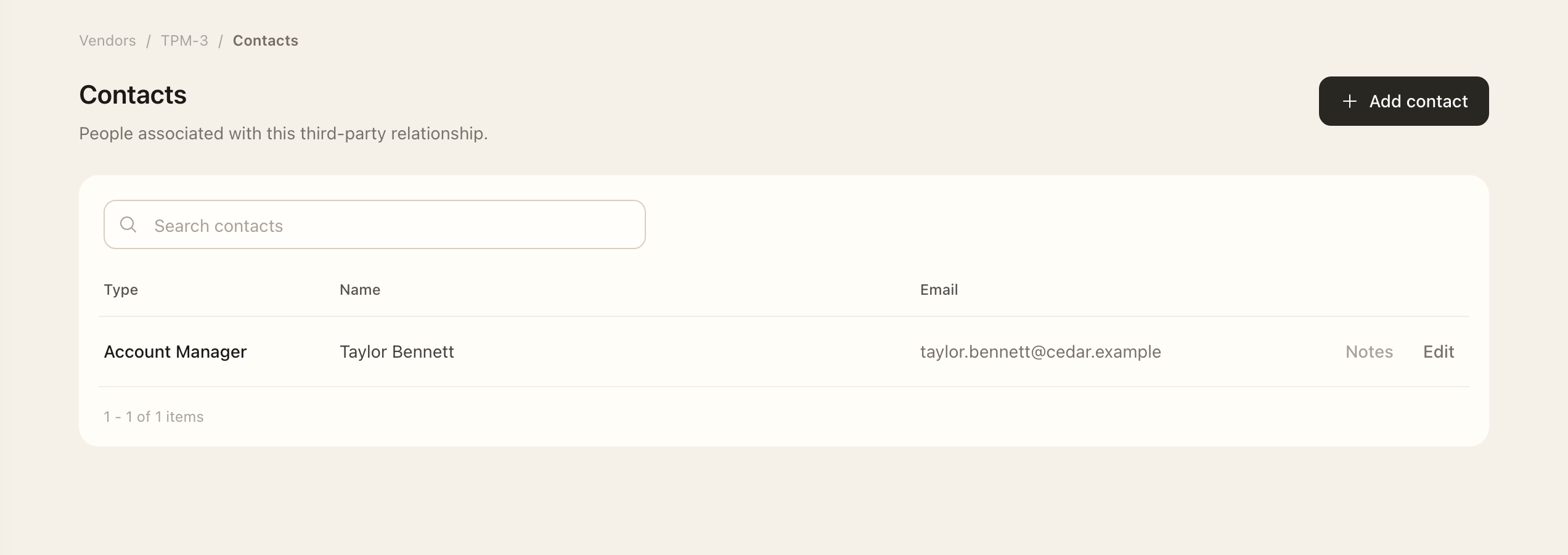
Keep contact details current
Open an existing contact and use Edit to update the permitted fields. Third-party owners can create and edit their relationship's contacts without general vendor-management access. If the edit action is unavailable, ask the owner or an authorized manager to make the correction.
Use the third party's Discussions for relationship decisions and contextual notes. A contact record identifies a person; it does not record a vendor assessment or approve the relationship.
Remove a contact
Authorized editors can use the separate danger zone on the edit page for permanent deletion. Check the record carefully before confirming, and retain contact details needed for an active relationship.
Continue with Assurance artifacts to maintain supporting material or Third-party assessments to review the relationship.
Expected outcome
The saved contact appears under the intended third party with the updated details. A contact record does not assess or approve the relationship; use the assessment and owner-decision workflows for those outcomes.