Roles and groups
A standard user works through My Workspace and assigned responsibilities. A product Viewer can browse the corresponding area's records; a Manager can maintain records and perform that area's management workflows. Organization Administrators manage organization settings and role assignments.
You may also have access to a particular record because you own it or are assigned to a workflow, without seeing that area's full registry. For example, a control owner can work on that control's assessments without receiving permission to edit every control. Roles can come from direct assignments and group membership.
If a page, record, or action is missing, ask your administrator to check your role and assignment. Finding a record through search or receiving a link does not grant additional permissions.
Configure group access
- As an Organization Administrator, open Settings → Groups and select the group.
- Review its members and existing roles before editing.
- Select the intended program area scope and Viewer or Manager level. Organization-wide Manager access is named Organization Administrator.
- Save the changes and inspect the affected user’s role summary.
- Check both group grants and direct assignments; removing one group does not remove a role granted by another source.
Use several scoped groups when a person needs access to several areas. A group's Standard User baseline can coexist with product roles. Standard User alone does not grant registry access. The protected Standard Users group cannot be renamed or deleted.
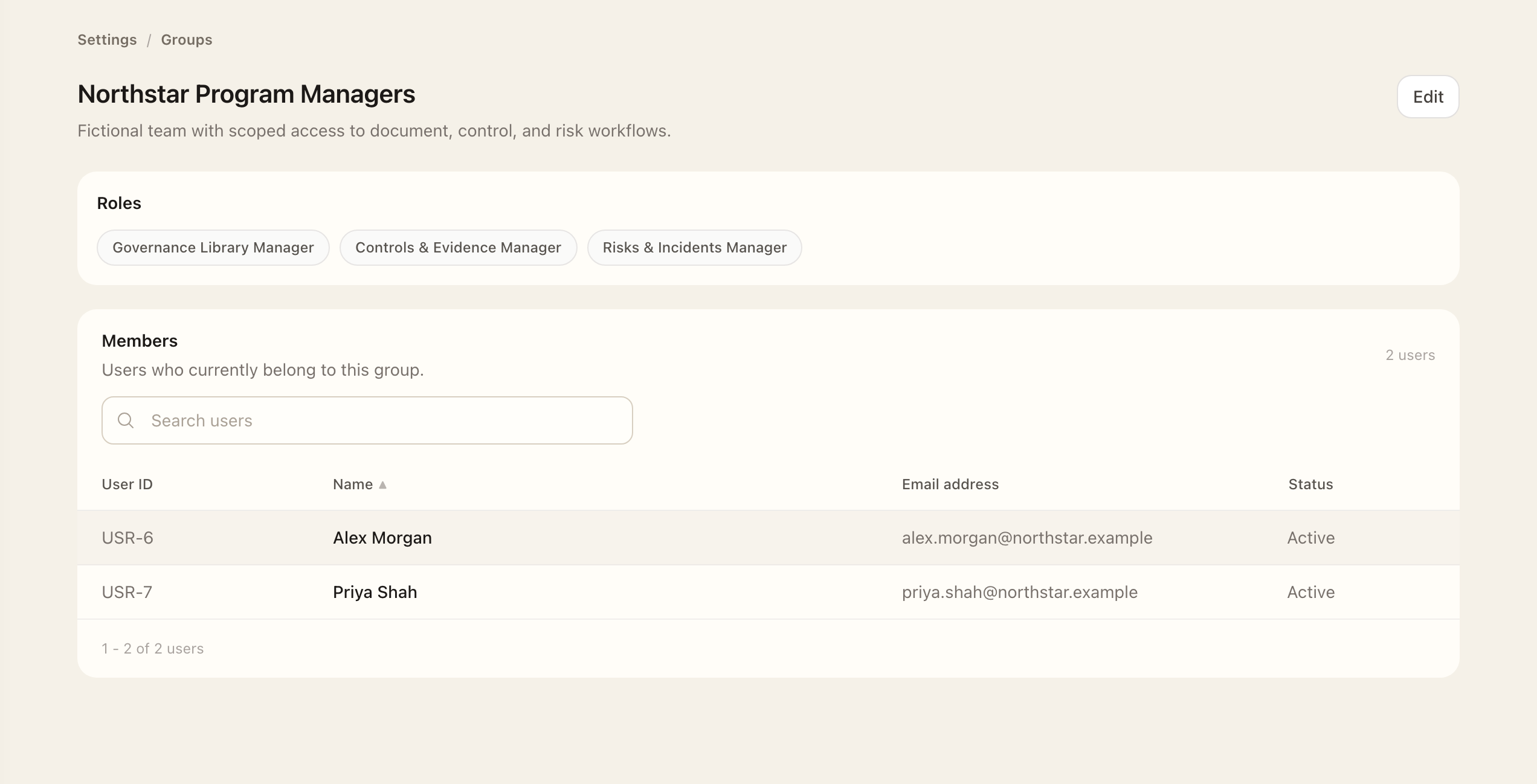
Verify the result
On a user, inspect the role summary for each role and its granting groups or direct assignment. Check both sources when investigating unexpected permissions: removing one group does not remove a role still granted elsewhere.
Directory-linked groups also depend on Identity Source mappings. Group membership and privilege approver, provisioner, or reviewer responsibilities are related but separate settings; verify the record-level assignment as well.
Expected outcome
The user’s role summary identifies the saved roles and their granting groups or direct assignments. Standard User alone does not grant registry access. A user can still have record-level access through ownership or workflow assignments.