Risk assessments
Start or resume an assessment
- Open Risks & Incidents → Risk Register, select the risk, and open Assessments.
- Choose Add assessment. Superviso starts an autosaved draft or resumes the existing one.
- Check the scenario and enter the required narrative scope; add optional affected assets, resources, or third parties where useful.
- Work through inherent risk, mitigating controls, residual risk, and response as described below.
- Complete the assessment only after resolving validation errors, then check its recorded response and approval state.
Draft changes are working material. A completed assessment preserves the scenario and context used for its decisions.
Assess inherent risk
Choose the method that fits the review:
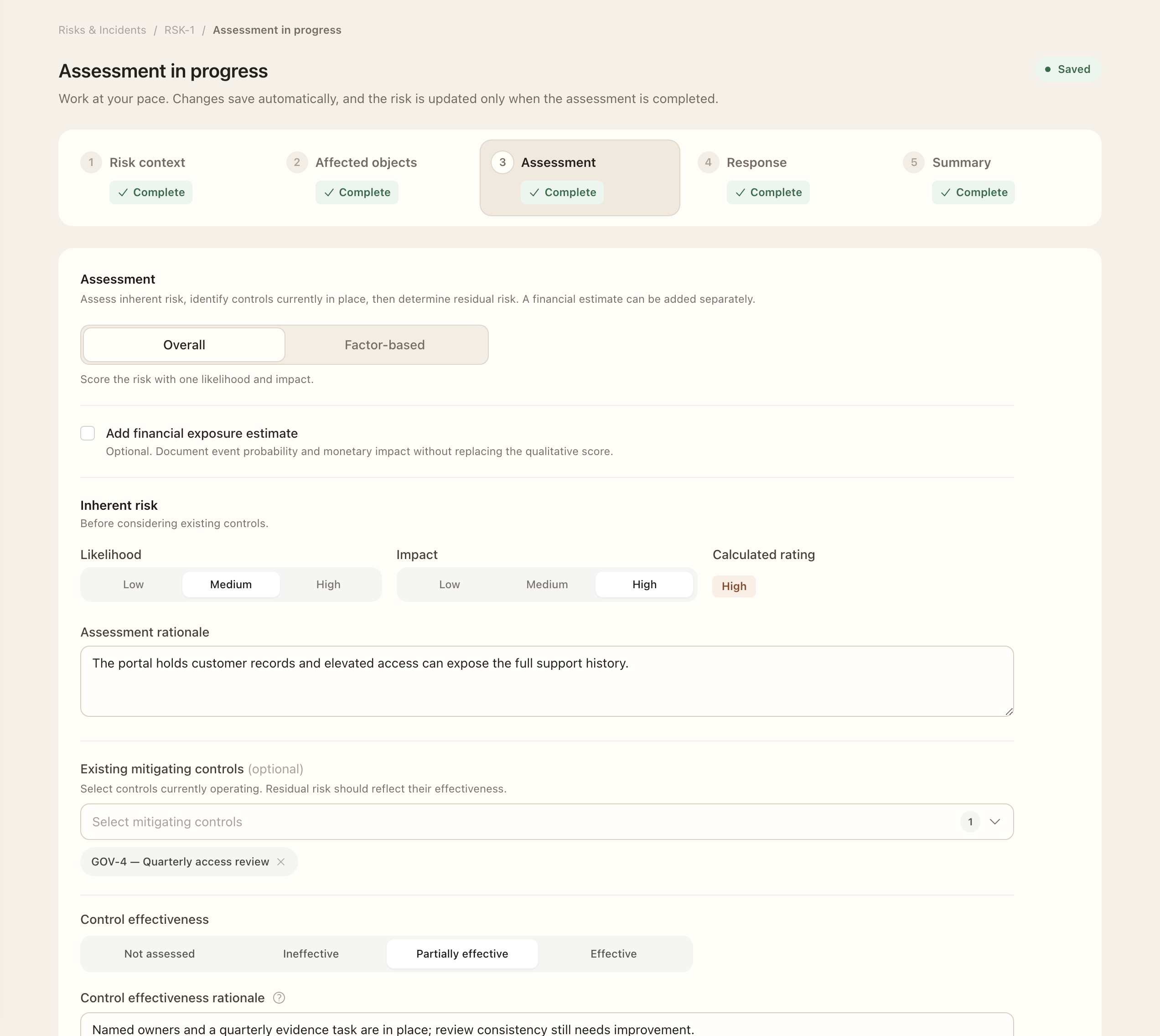
- Overall: record one likelihood and impact assessment with rationale.
- Factor-based: assess confidentiality, integrity, and availability separately. The highest factor determines the overall rating.
Inherent risk describes the scenario before the mitigating controls being evaluated. Explain the assumptions behind the rating so a later reviewer can understand the basis rather than just compare labels.
Evaluate controls and residual risk
Identify the mitigating controls and distinguish between no controls identified, controls not assessed, and controls assessed. Record assessed effectiveness and its rationale, then review the resulting residual-risk values. An ineffective control should not be treated as reducing the risk.
When using financial estimates, record the available currency, time horizon, event probability, and monetary impact. Inherent and residual expected financial exposure are separate estimates; they do not replace the qualitative ratings. Use consistent assumptions when comparing the two.
Record the response and review date
Select a response strategy and explain the decision. Record implementation ownership, target or completion dates, and estimated cost where applicable. Choose the assessment's one-, three-, six-, or twelve-month review cadence and check the calculated next-review date.
Complete the assessment after resolving validation errors. Check whether the response still awaits owner approval: assessment completion, response approval, and implementation are separate stages. Continue with Response decisions and follow-up.
Read assessment history
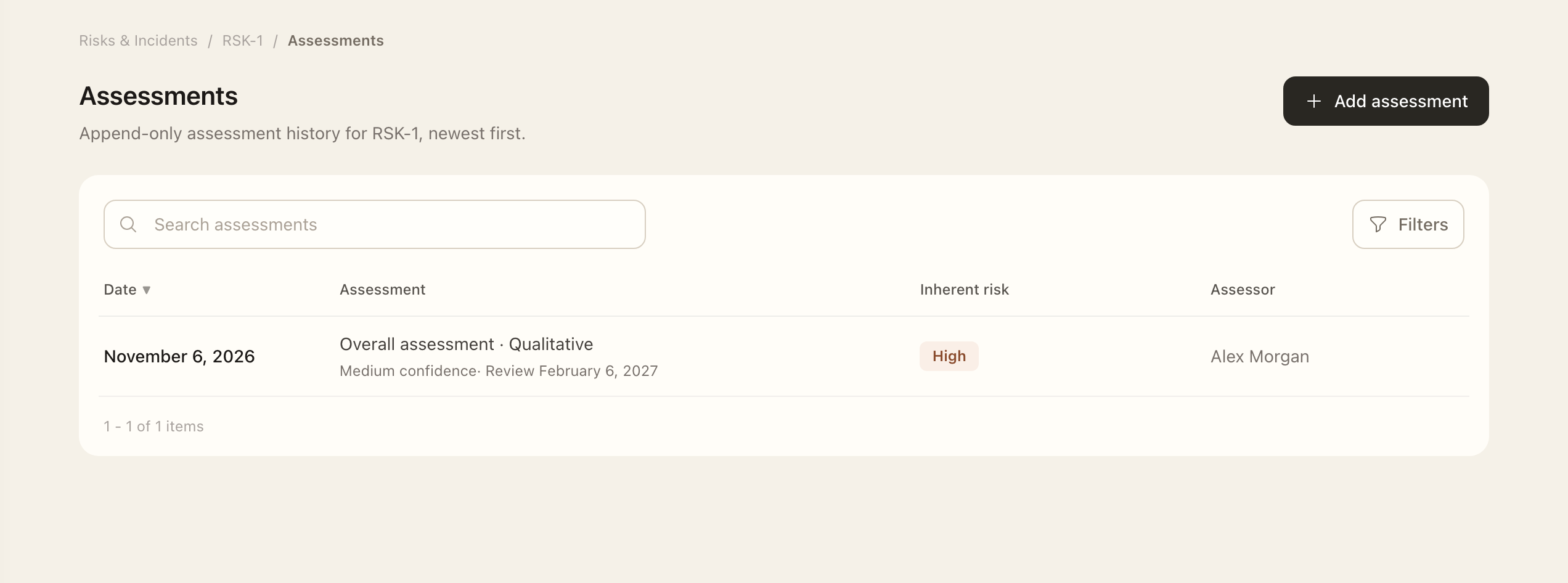
Completed assessments are historical snapshots. Use a new assessment for changed circumstances rather than rewriting the prior scenario, rationale, or response context. The current risk can change while earlier completed assessments retain the facts reviewed at their assessment date.
Expected outcome
The completed assessment preserves its assessed scenario, scope, ratings, rationale, and response context as history. The response may still need owner approval and implementation. Use a new assessment for later changes rather than treating a draft or pending response as a completed decision.