Access reviews
Review account access and preserve decisions and supporting evidence.
- Open an assigned review from Tasks or Access reviews and check its scope and due date.
- Start the review. Superviso fixes the review's identity and privilege scope and captures the available connector evidence at that point.
- In Identities, record whether each account's access should be approved or denied. Check account identifiers, privileges, and warnings rather than relying only on the person's display name.
- Continue to Evidence, then Confirmation, following the required steps. Add notes where a decision needs explanation.
- Review the conclusion and complete the review if you are its owner or an administrator.
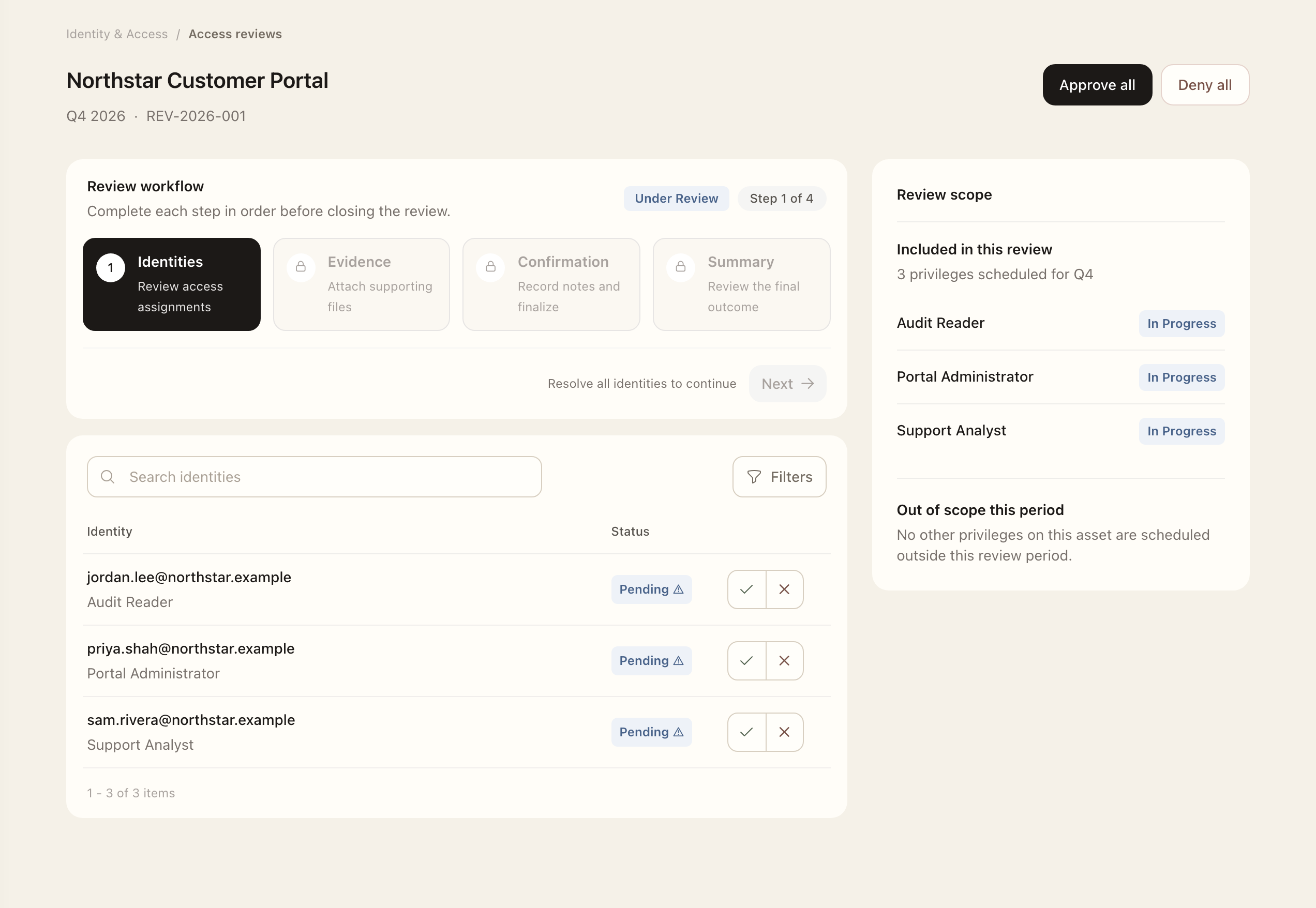
The steps unlock in order. Your own access decisions trigger an additional confirmation recommending another reviewer. Bulk Approve all and Deny all actions should be used only after examining the scope.
A review preserves the evidence captured when it started; later connector synchronization does not replace that snapshot. Denials can result in follow-up access-removal requests. Check those requests for implementation progress. Completed and expired reviews remain historical records and cannot be edited.
Expected outcome
The completed review retains its decisions and start-time evidence snapshot. Completed or expired reviews are read-only. Resulting access-removal requests continue through their implementation workflow.