Access requests
- Open Requests and choose Add request when available.
- Enter a clear business justification. If you are authorized to request for someone else, select the correct subject.
- Create the request, then add the required privilege changes in the request's editing workflow.
- Check the person, asset, privileges, and any specific account shown, then submit for approval. You cannot add or remove privileges after submission. Use Submit for review to send the draft.
- Return to the request to track approval and provisioning progress.
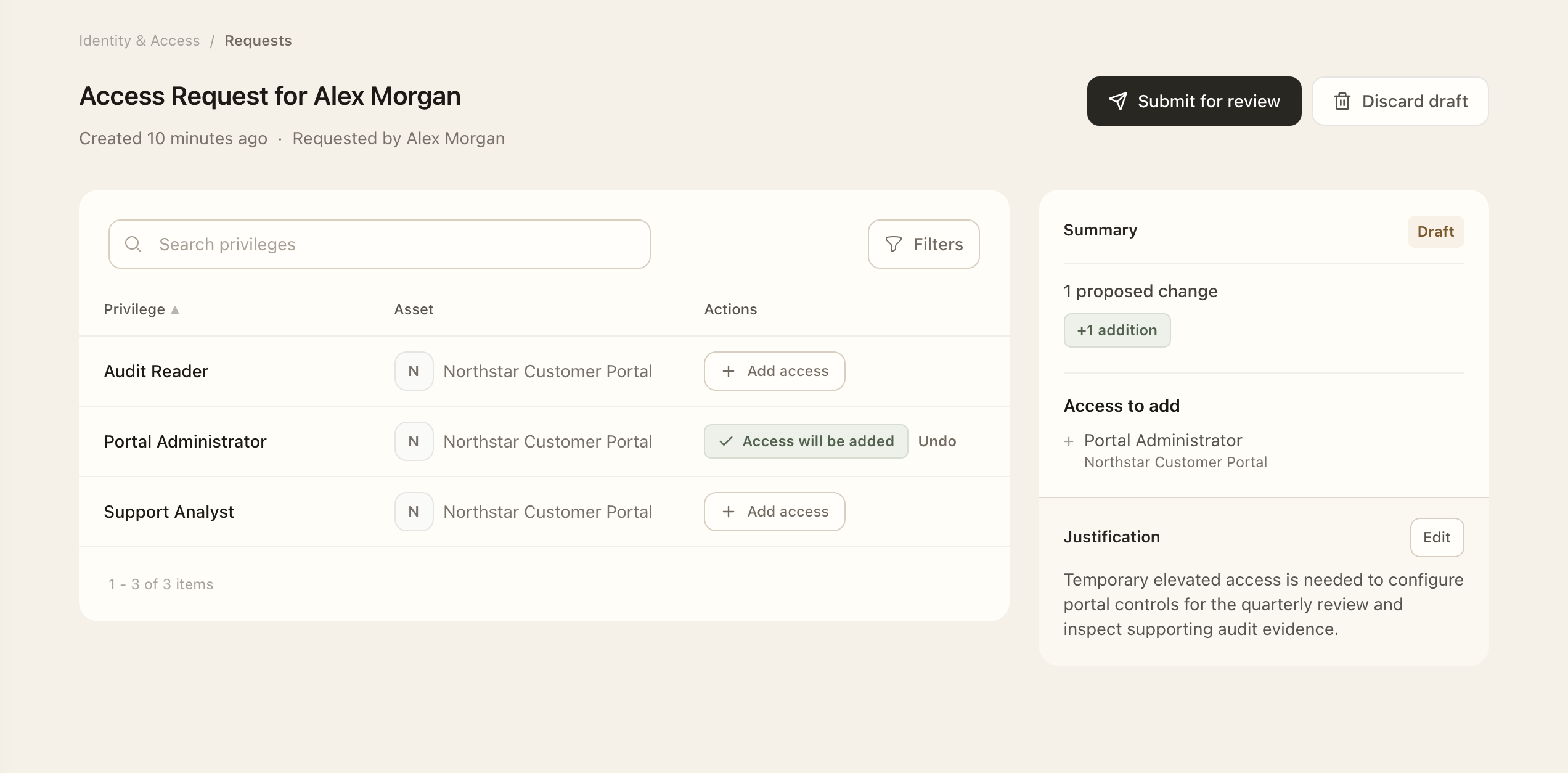
An identity is an account on a particular system; a privilege is an access right. A person can have several identities on the same system, so check the source account identifier before acting.
How separation of duties affects approval
A privilege can enforce Separation of duties (SoD). For actions that require approval, Superviso then excludes both the requester and the person receiving or losing access from normal approval routing, including when they are owners or members of an approver group. Another eligible approver handles the decision; you do not need to select a replacement approver when submitting the request.
For example, if you request access for yourself, the normal workflow routes the approval to another eligible person. Organization Administrators and Identity & Access Administrators retain their administrative override. SoD does not merge approval with provisioning: implementing an approved change remains a separate step.
Managers configure this rule on the privilege. The organization’s governance setting sets the default for new privileges.
Approve and implement the change
- As an assigned approver, open the request and check its justification, subject, account, and privilege actions.
- Approve or decline only the eligible actions assigned to you, then check each action’s resulting state.
- As the assigned provisioner, carry out the approved addition or removal in the relevant system.
- Confirm implementation in Superviso only after the source system has changed.
- Reopen the request to check for remaining approval, provisioning, or removal-confirmation actions.
Approval authorizes a change; provisioning or deprovisioning records that access has actually been added or removed. Bulk actions apply to eligible actions assigned to you.
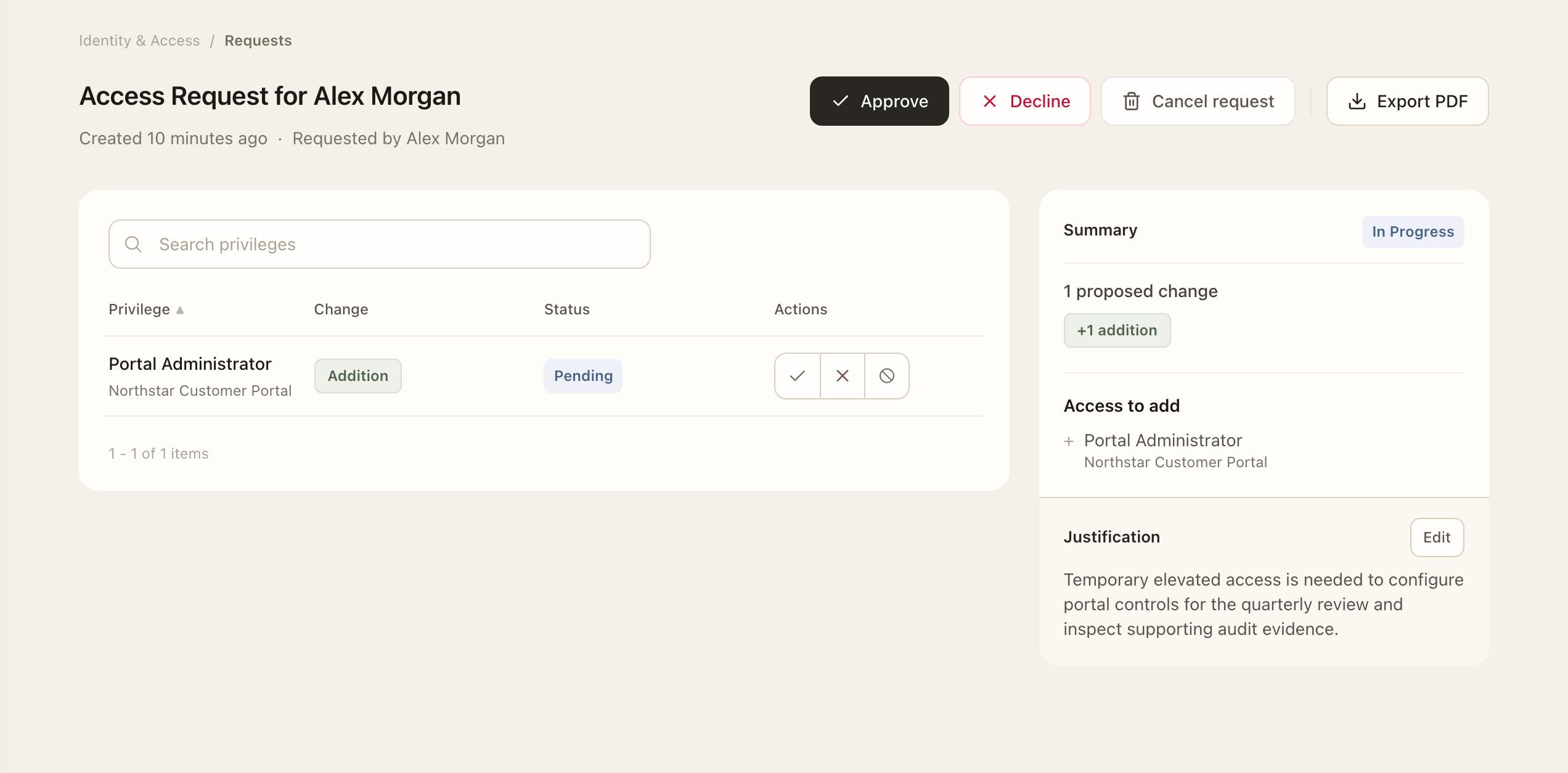
Bulk actions affect eligible actions assigned to you. Request participants with cancellation permission can cancel unfinished request work; completed actions retain their history.
Expected outcome
The submitted request retains its justification and fixed privilege selection. Each action records approval and implementation separately. Treat access as added or removed only after the provisioner has carried out the change in the source system and recorded completion in Superviso.