Superviso
Run the security program as connected operational work.
Superviso brings assignments, governed records, reviews, evidence, and decisions into one dedicated workspace so teams can see what needs attention, understand the context, and keep the program moving.
My Workspace
A home for the work behind the program
Security and compliance work rarely fails because there is no spreadsheet. It becomes difficult when responsibilities, evidence, reviews, and decisions are separated from the records they affect.
Superviso is designed to give each person a focused workspace while preserving the shared program context around every task, request, review, document, and record.
- 1
Orient
Start from My Workspace to see assigned tasks, requests, reviews, documents, and records. - 2
Work
Move into the relevant record with its owner, context, relationships, and supporting evidence intact. - 3
Decide
Capture reviews, approvals, assessments, exceptions, treatments, and response decisions where they belong. - 4
Remember
Retain versions, discussions, activity, and review history for the next cycle, audit, or handoff.
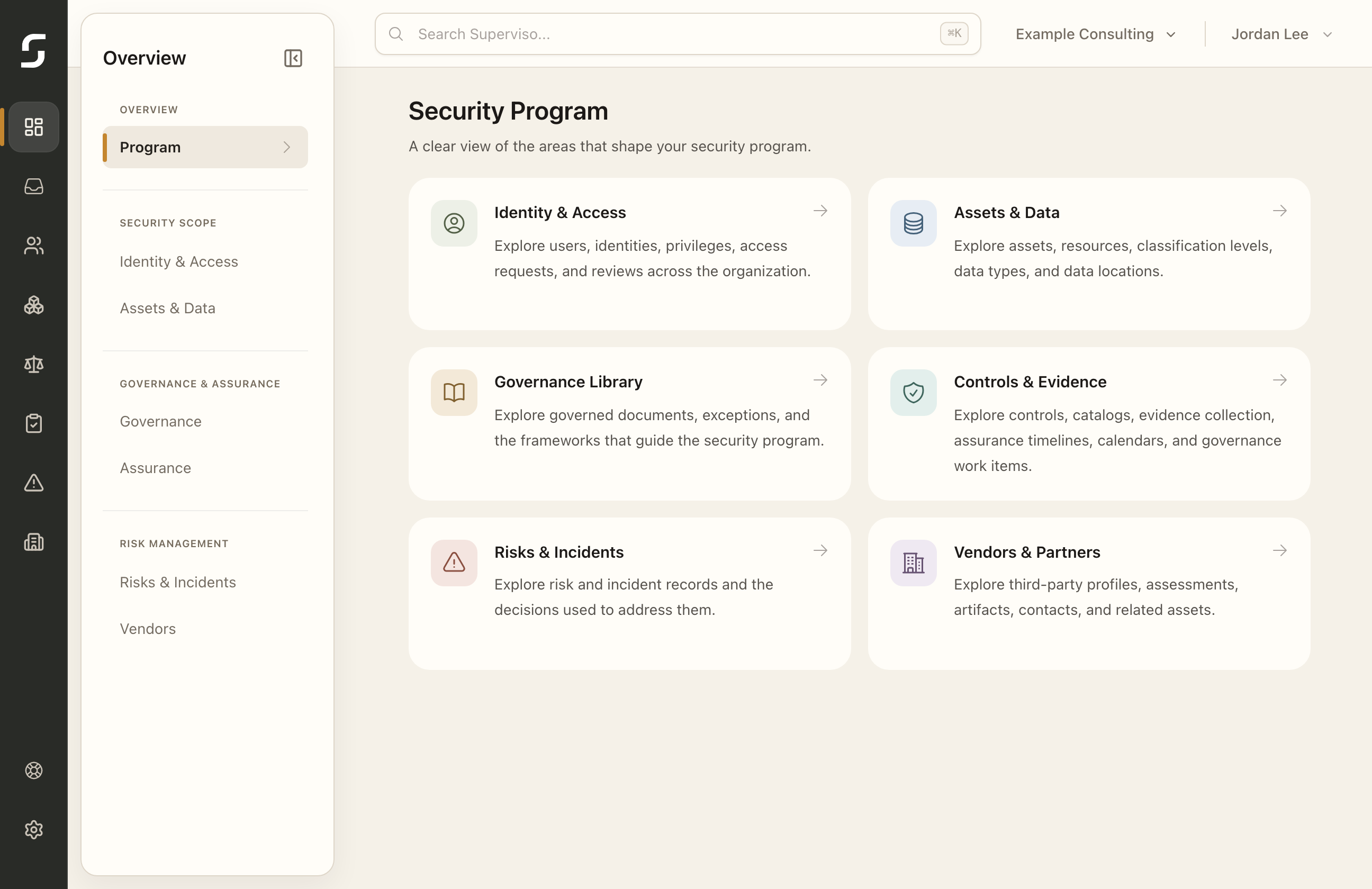
Security Program Overview
Six connected program areas, one operating model
Each program area has its own workflows, but the records are designed to connect. An asset can carry data and access context. A control can link to frameworks and evidence. A third party can connect to assets, assessments, artifacts, and risk decisions.
01
Identity & Access
Bring users, identities, privileges, access requests, and recurring reviews into one governance view, with responsibilities and outcomes tied to the systems they affect.
Users & identitiesPrivilegesRequests & reviews
Explore Identity & Access02
Assets & Data
Govern systems, services, applications, and resources with ownership, relationships, classification, data types, data locations, access context, and assurance history.
Assets & resourcesClassificationData context
Explore Assets & Data03
Governance Library
Manage policies, procedures, standards, directives, and guidelines through versions, translations, review, approval, publication, acknowledgement, and access, alongside frameworks and approved exceptions.
Document lifecycleFrameworksExceptions
Explore Governance Library04
Controls & Evidence
Create controls from catalogs or internal requirements, connect them to frameworks, assess maturity, conduct reviews, and schedule recurring evidence collection across timelines and calendars.
Controls & catalogsAssessments & reviewsEvidence schedules
Explore Controls & Evidence05
Risks & Incidents
Keep risk scenarios connected to accountable owners, assessments, treatment decisions, affected objects, supporting context, and retained history.
Risk registerAssessmentsTreatment decisions
Explore Risks & Incidents06
Vendors & Partners
Maintain third-party profiles with related assets, connectors, contacts, assessments, artifacts, risk context, data context, decisions, and activity history.
Third-party profilesAssessments & artifactsRelationships
Explore Vendors & PartnersFollow the work in the user guide
Use illustrated steps and expected outcomes for My Workspace, each program area, organization settings, and provider setup. Provider guides distinguish Identity Source, Identity & Access, and Assets & Data integrations.
Bring structure to the work that keeps the program moving
Choose a Superviso plan for your organization’s active program scope. Every plan includes the same features.