Import acknowledgement history
Prepare the import
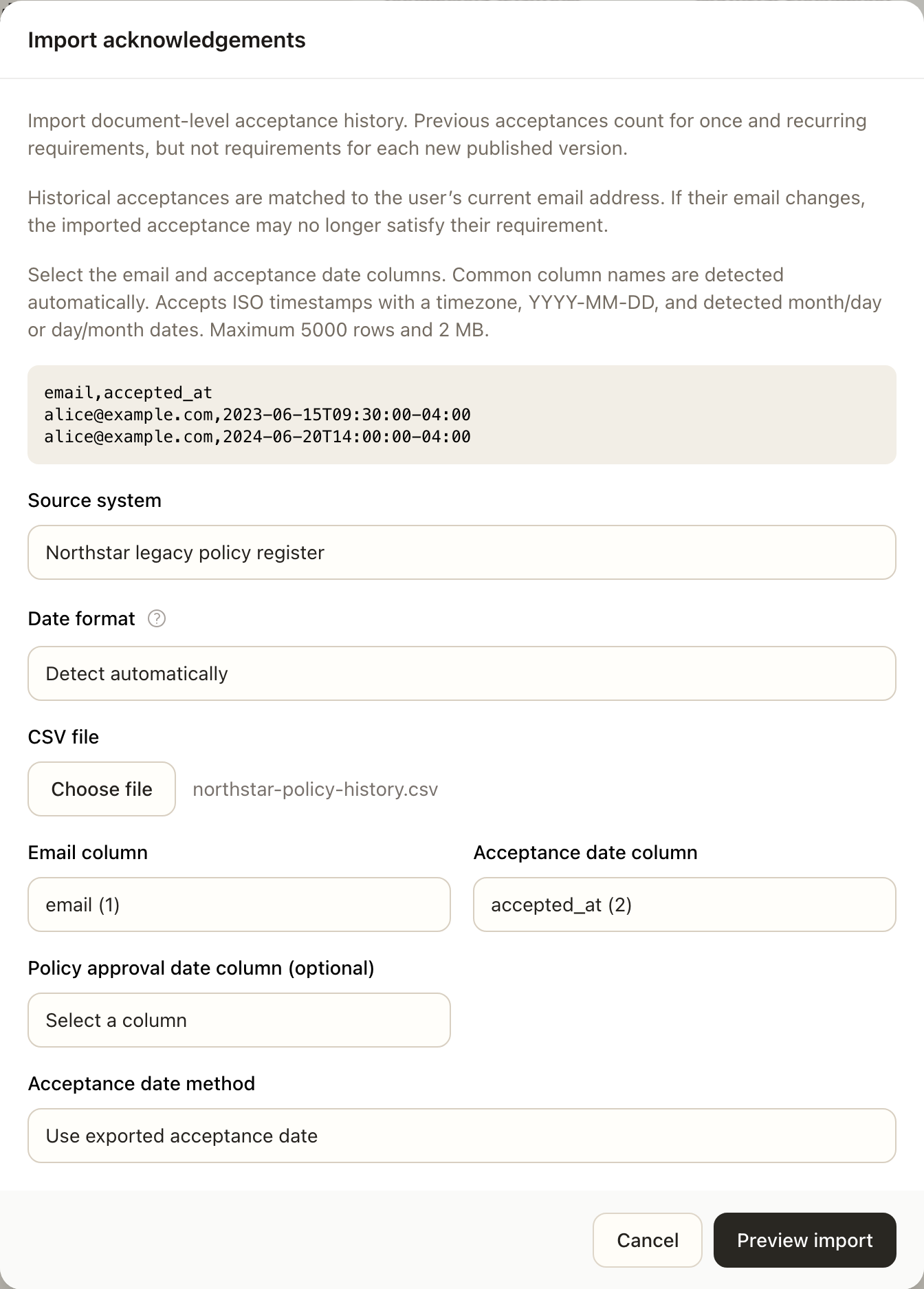
An authorized document manager can import CSV acknowledgement history from the document's management workflow. Keep the original export and identify its source system. The import needs an email column and an acceptance-date column.
Preview before confirming
- Select the CSV and provide the source-system label.
- Check automatically recognized headers. Map columns explicitly if there are multiple possible matches.
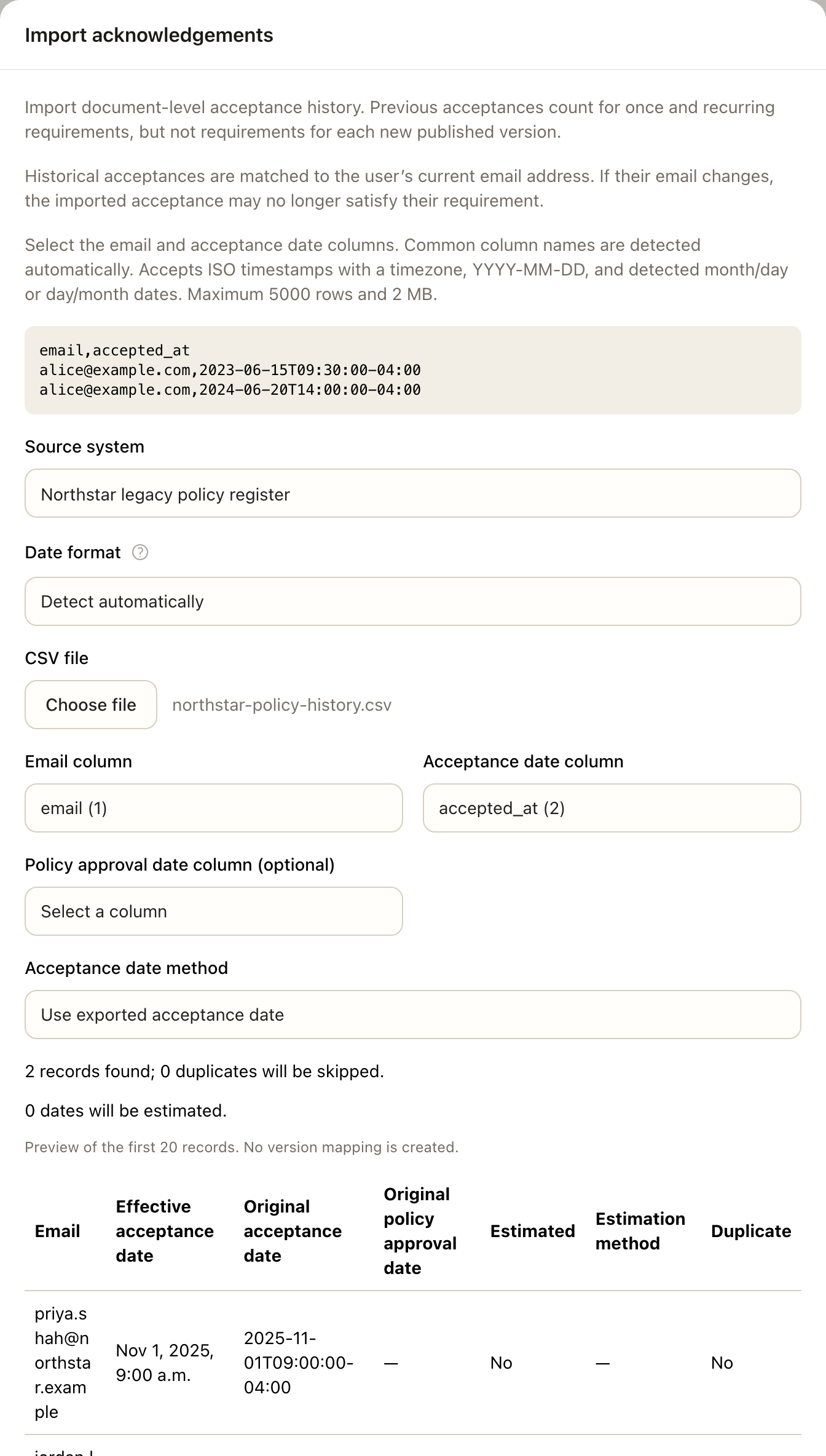
- Check the date interpretation. Use an explicit month/day/year or day/month/year choice for ambiguous numeric dates; date-only values use midnight UTC.
- Choose whether to retain exported acceptance dates or use an available policy-approval estimation method. Review every stated assumption.
- Inspect the preview, validation errors, duplicates, and estimated-date flags, then confirm only when the mapping and dates are correct.
Exact duplicate effective acceptance records are skipped. Existing history and import provenance remain available; reimporting should not be used to rewrite prior evidence.
Understand what imported history means
Imported acceptance does not identify a Superviso version or establish reading completion. Matching uses the user's current email, so check changed addresses. The latest imported acceptance can satisfy eligible once or recurring requirements, but cannot satisfy each-new-published-version requirements.
Estimated effective dates remain identified as estimates with their original values and method. They are migration assumptions rather than verified acceptance evidence. Inspect acknowledgement history and CSV exports when explaining that distinction to a reviewer.
Expected outcome
The confirmed import records eligible acknowledgement history with source provenance and any estimated-date flags. Exact duplicate effective records are skipped. Imported history does not establish reader completion or satisfy each-new-published-version requirements.