Response decisions and follow-up
Record a response
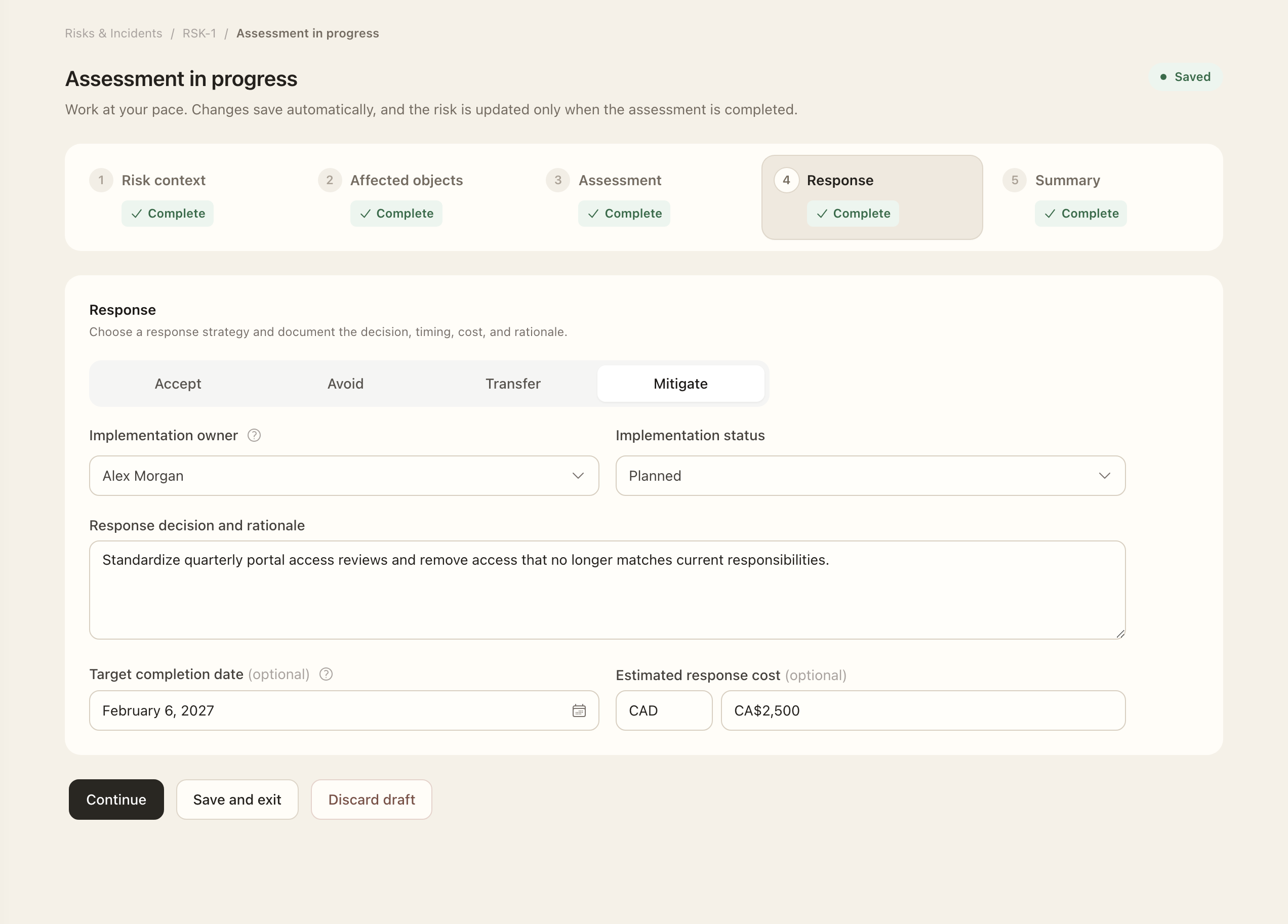
- Open the risk’s active assessment and select the response strategy.
- Explain the decision rationale and record the implementation owner, applicable dates, and estimated cost.
- Set the review cadence and check the next-review date.
- Complete the assessment, then return to the risk’s response decision to check whether owner approval is pending.
- After approval, follow the recorded implementation status, owner, and dates; approval alone does not establish completion.
Complete the assessment, then inspect the response and approval state on the risk. Finishing the assessment records the assessor's snapshot; it does not necessarily approve the response.
Obtain the decision
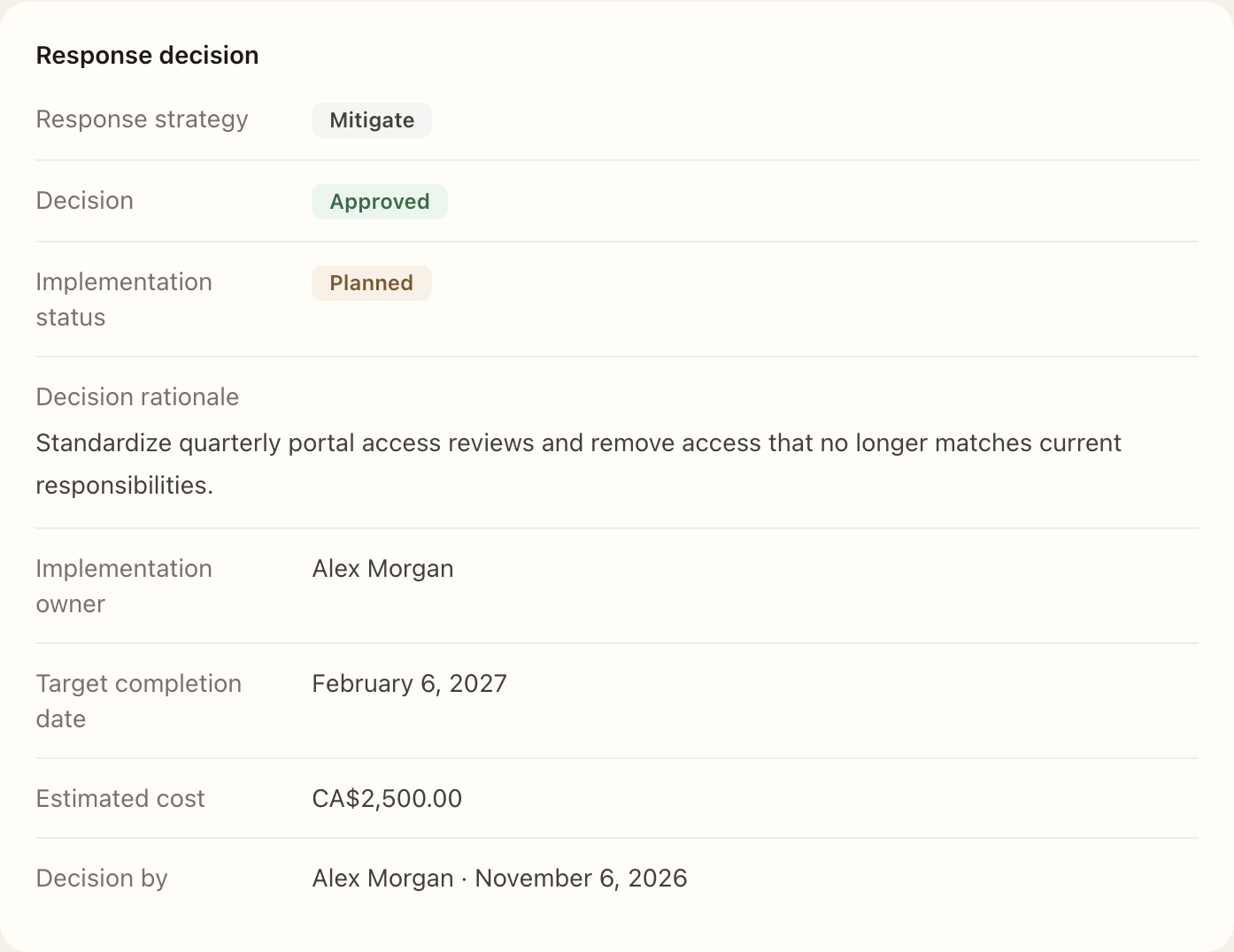
When the response awaits approval, the authorized owner decision-maker can approve or return it. A returned response needs a reason and revision through a new assessment. An available withdrawal action also retains the earlier submission as history rather than rewriting it.
Check the exact current state before acting, especially when another participant may already have recorded a decision. The completed assessment and later owner decision remain separate records.
Follow implementation and review
An approved treatment plan still needs to be carried out. Inspect its implementation status, ownership, and dates, then review whether the residual-risk assumptions still hold. The next-review date is calculated from the completed assessment date and selected cadence.
Use Activity for recorded changes and Assessments for the decision basis over time. The response displays approval and implementation as separate statuses.
Expected outcome
The risk retains the completed assessment and any later owner decision separately. An approved response may still require implementation. A returned response requires its reason and revision through a new assessment; historical decisions are not overwritten.