Identities
Distinguish users from identities
A user is a person in Superviso. An identity is an account on a particular system, such as a cloud account or service identity. One user can own several identities on the same asset. Compare the source account identifier, not only its display name.
Review an identity
- Open Identity & Access → Identities.
- Search or filter the registry and open the account you need to review.
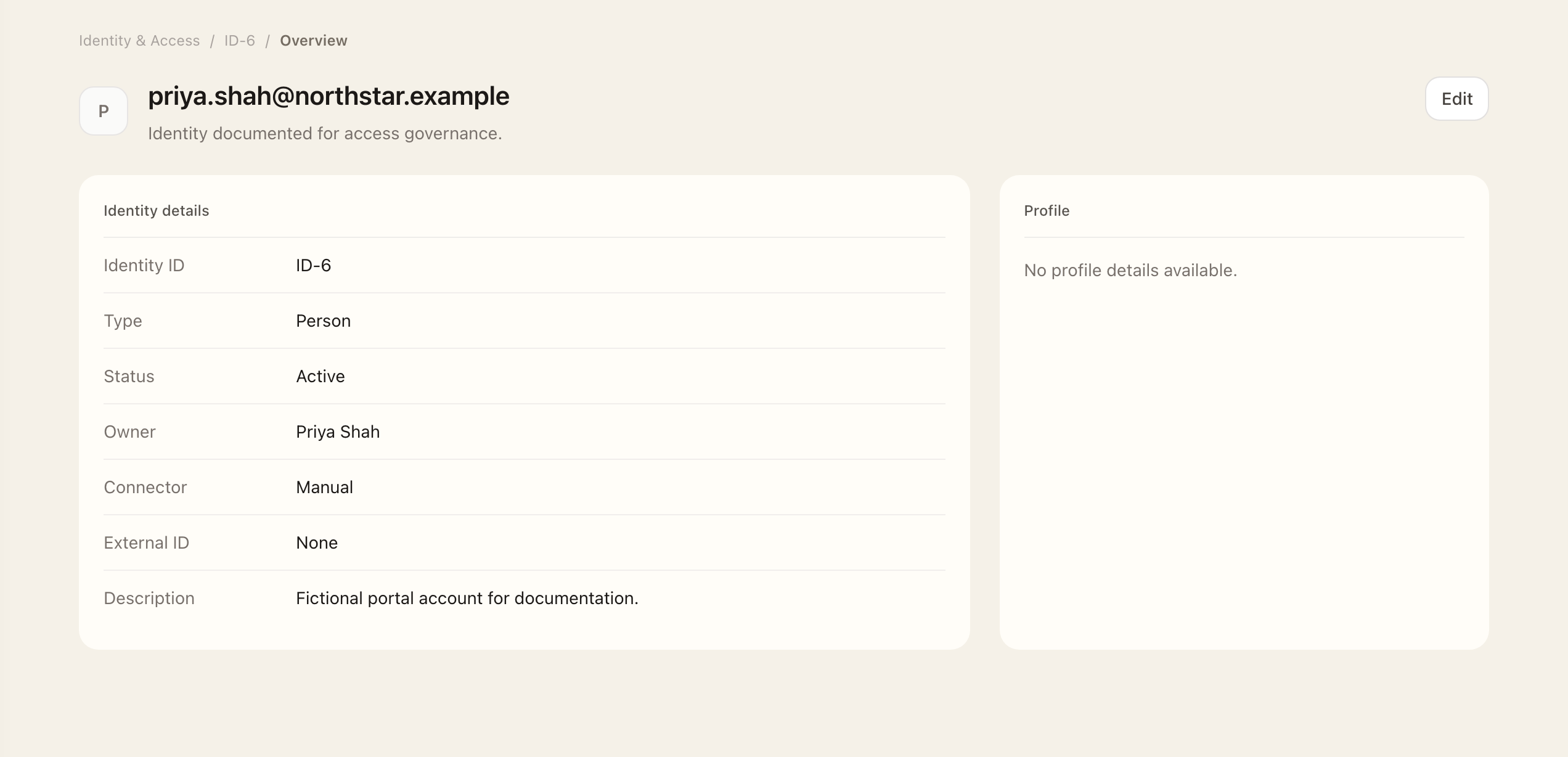
- Check its source account identifier, asset, source, account type, and owner.
- Open Privileges and inspect the rights attached to that exact account.
- If permitted local metadata is incorrect, use the edit action, save, and recheck the account. Correct provider-managed values through the source and connector workflow.
If provider data is wrong or stale, ask an administrator to inspect the connector and correct provider-managed values at the source. Connector data and locally managed metadata can have different editing rules.
Maintain ownership
- Open the identity and use its edit action to change local metadata.
- Assign or correct the accountable owner and other permitted fields, then save.
- For a manually documented account, choose Add identity, select its asset, and complete the required account details.
- Reopen the account and verify its identifier, asset, and owner. Keep non-human accounts accountable to a person.
An alias can help match an account to a user, but it does not combine separate identities or their privileges. When requesting or reviewing access, verify which account the action targets.
Follow access changes
Use Access requests to document authorized changes and Access reviews to review whether access should remain.
Expected outcome
You can identify the exact account, its accountable owner, and its recorded privileges. Saved local edits appear on the identity. This inspection does not itself approve, provision, or remove access; use the linked request or review workflow for those decisions.