Third-party assessments
Start or resume
- Open Vendors & Partners → Third Parties, select the relationship, and open Assessments.
- Start an assessment or resume the assigned autosaved draft.
- Confirm that the prefilled context still reflects the relationship.
- Work through the six sections below, checking completion feedback and supporting evidence.
- Use Save and exit to continue later, or Complete assessment after resolving validation errors.
Work through the sections
- Context: describe how your organization uses the third party.
- Data: confirm linked data types and processing locations.
- Risk assessment: evaluate inherent risk using an overall method or confidentiality, integrity, and availability factors.
- Controls: document mitigating controls, their assessed effectiveness, and the resulting residual risk.
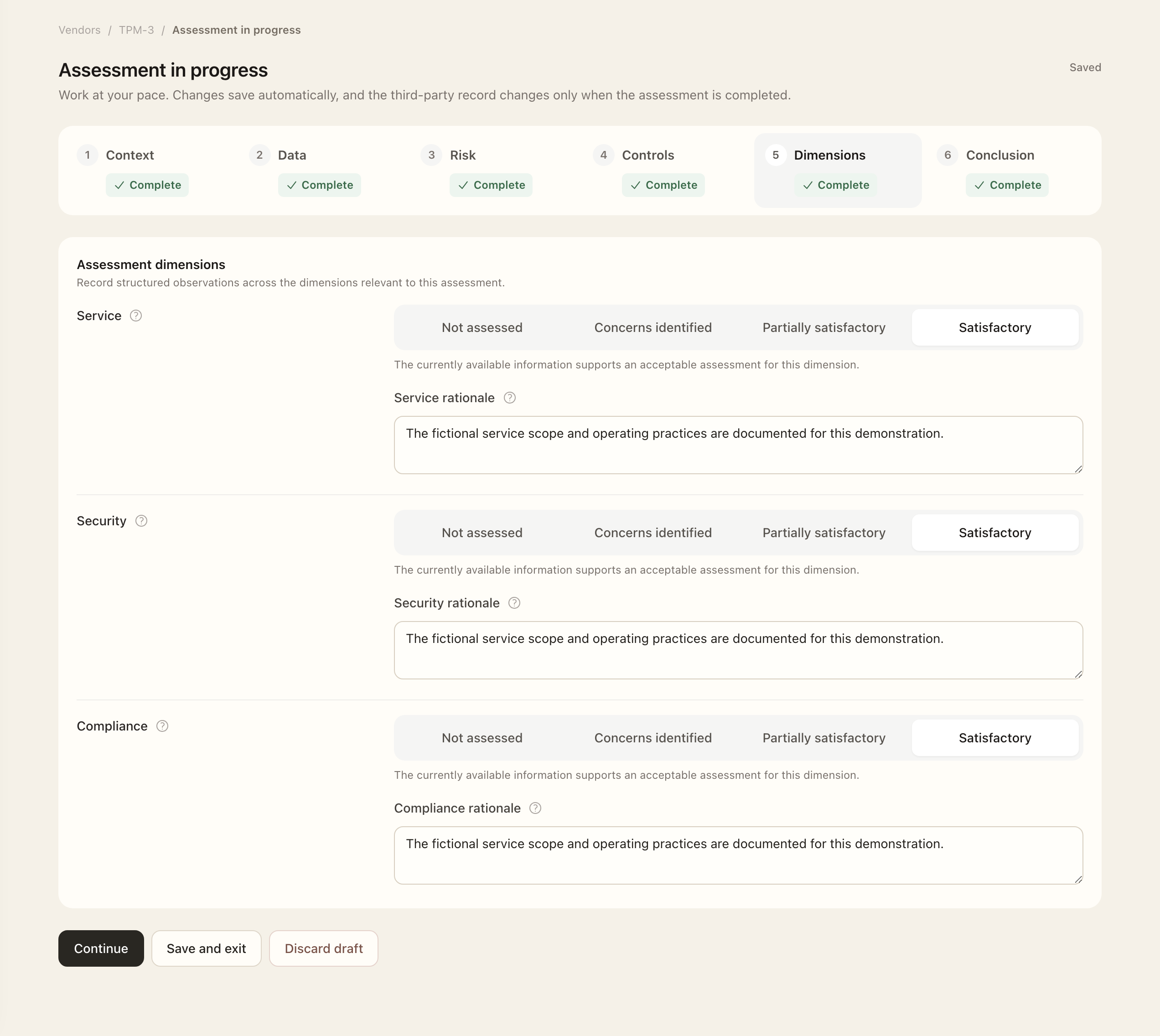
- Assessment dimensions: evaluate each configured dimension and supply required rationale. Defaults include service, security, and compliance.
- Conclusion: select an outcome, explain the decision, and record applicable review dates or follow-up work.
Add linked evidence and check its acceptance status and dates. The sections show completion feedback. Use Save and exit to return later or Discard draft if the draft should not be continued.
Complete the snapshot
Choose Complete assessment after resolving validation errors. Draft changes leave the current third-party record unchanged; completion updates its reviewed context and preserves the historical snapshot. Completed assessments are read-only, so later changes need a new assessment.
Completion does not settle every owner decision. Continue with Conclusions and owner decisions to understand approvals and treatment tasks.
Expected outcome
Completion updates the third party’s reviewed context and preserves a read-only assessment snapshot. A draft leaves the current relationship unchanged. A conclusion may still await its owner’s decision, and treatment follow-up work is created only after the required approval.