Read and acknowledge documents
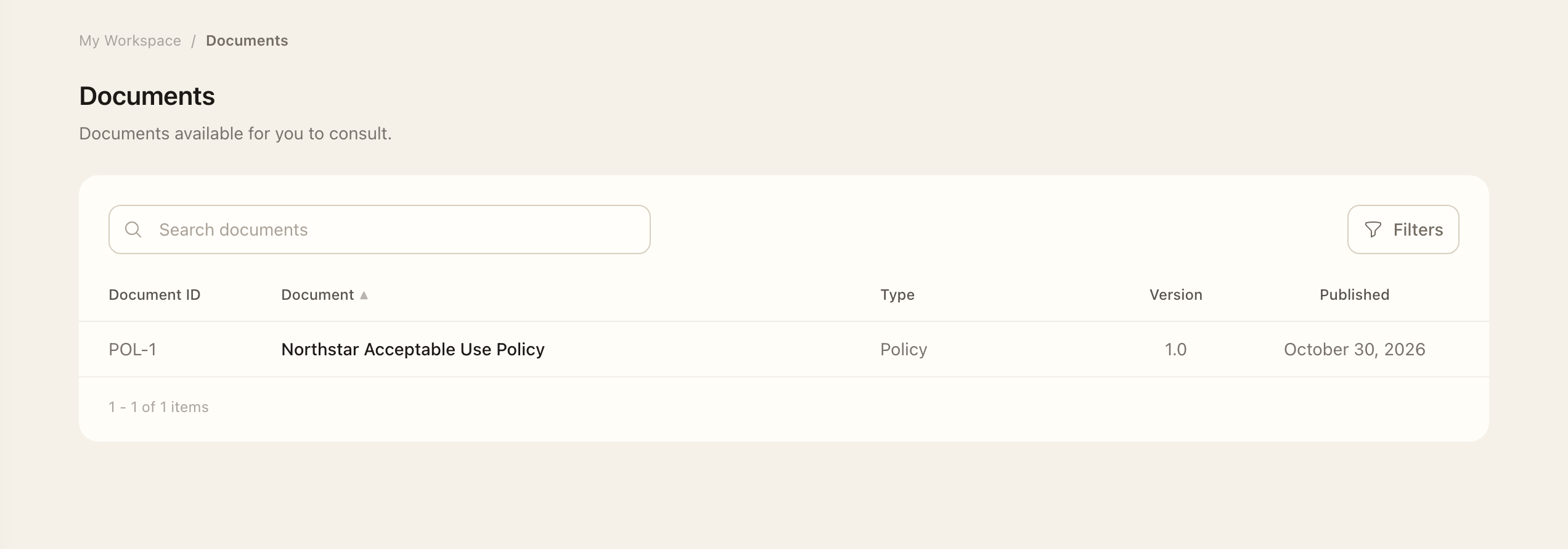
- Open the document from My Workspace → Documents, or follow its acknowledgement task from Tasks.
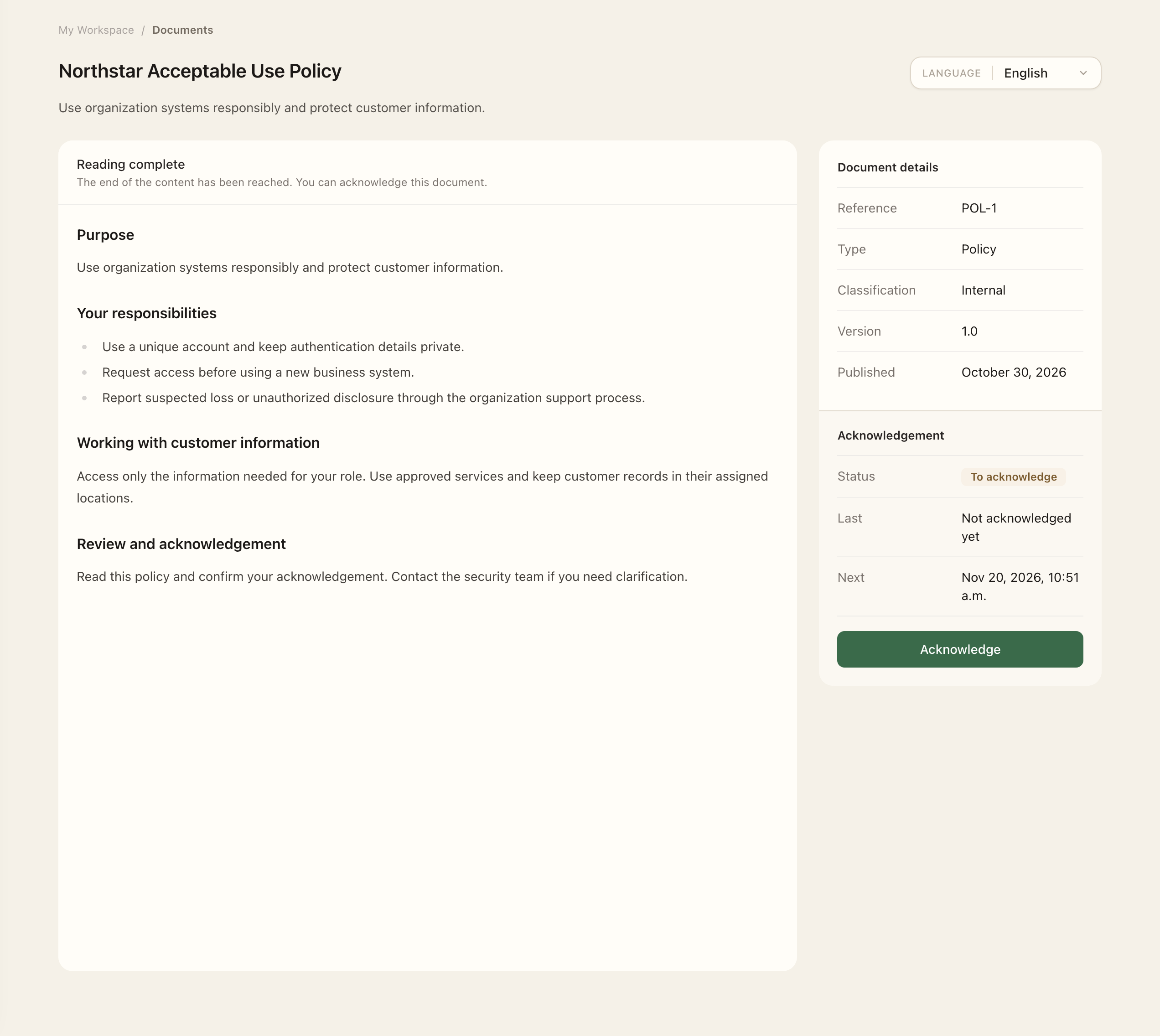
- Select an available translation and read the published document.
- If acknowledgement is required, use the acknowledgement action and confirm that you have read the document.
- Check that its acknowledgement status is Up to date.
For an uploaded PDF, read through every page in Superviso's viewer. For text displayed inside Superviso, scroll to the end. The acknowledgement action becomes available after the selected translation's reading requirement is met. For an external document link, open and read the source before confirming; Superviso cannot track reading on the external site. If reading progress fails to save, use the retry action before acknowledging.
Reading access and acknowledgement requirements are separate. You can have permission to consult a document without having an acknowledgement task. If several of your groups require the same document, one confirmation covers the applicable requirements for that published version. A later task may appear because the requirement recurs or a new version has been published.
If a document is missing
Ask its manager to check publication and group consultation access. See Document access and acknowledgements for the management workflow.
Expected outcome
For a required acknowledgement, the document shows Up to date for the applicable published version after confirmation. Reading without confirming does not complete the obligation. Consultation-only documents can be read without an acknowledgement task.