Connectors and synchronization logs
Add a connector
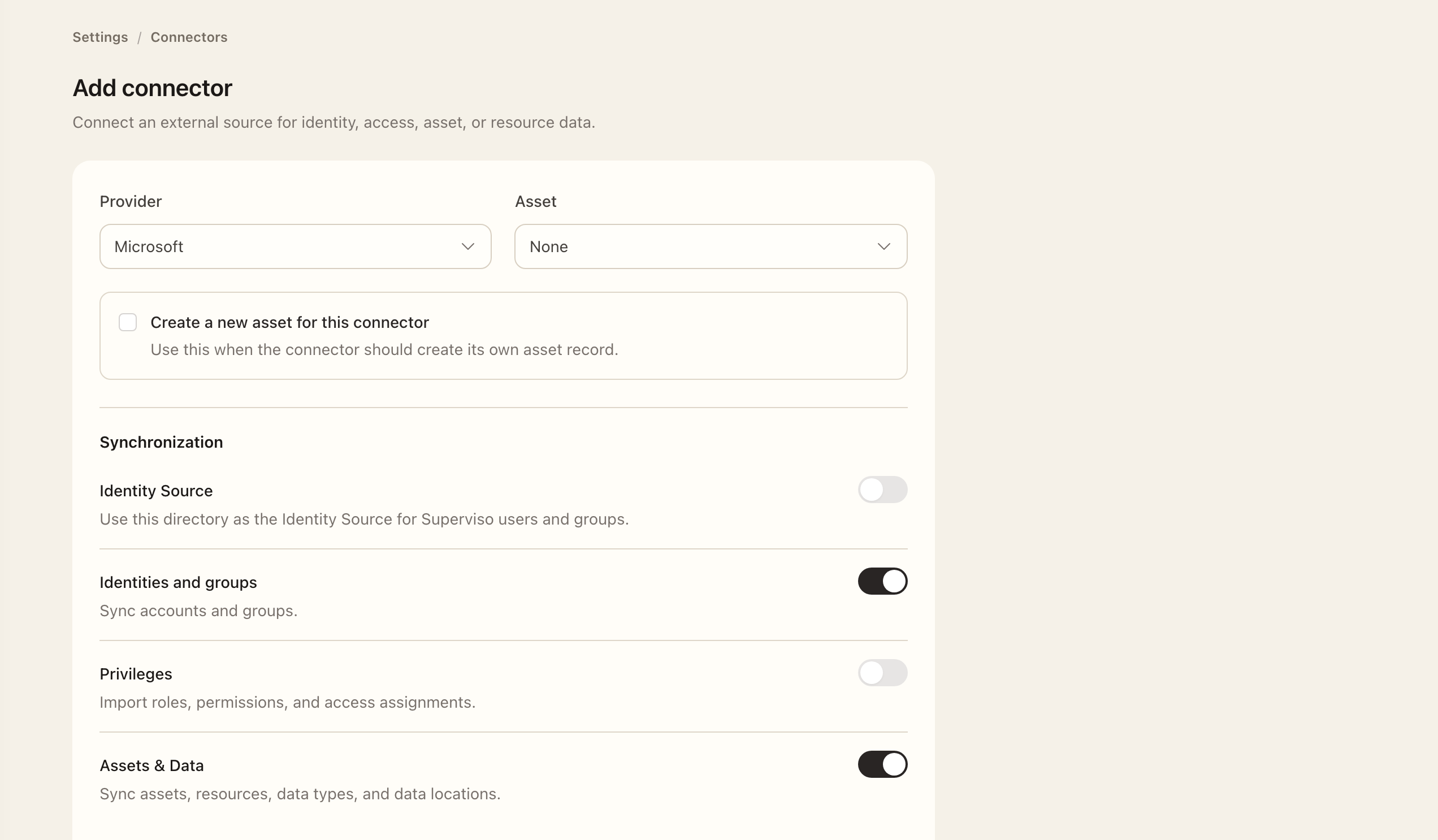
- Open Settings → Connectors and choose Add connector.
- Select the provider and follow its setup guide for required values and access.
- Choose the asset association or available new-asset option as appropriate.
- Enable at least one supported integration and review its scope, filters, and required credentials.
- Save the connector and resolve any validation errors before inspecting synchronization and logs.
Identity & Groups imports provider accounts and access context. Assets & Data imports supported resources. A supported Identity Source option configures authoritative Superviso user synchronization. Review the permissions shown for the actual enabled options.
Run and inspect a synchronization
- Open the saved connector and choose Sync connector.
- Read and confirm the connector-wide synchronization dialog.
- Open Logs and check the integration, phase, queue time, start and end times, and result.
- Open View on a log to inspect available details and snapshots; use the retry action if details fail to load.
- Inspect Identities, Privileges, or Resources for the enabled integrations and confirm the intended records were collected.
Use Identities, Privileges, and Resources on the connector to inspect imported data. A queued job is not a completed synchronization. Investigate a failed or partial collection before assuming the inventory is current.
Maintain scope
Provider-managed fields should be corrected upstream. Change connector filters only after considering which existing records and users they affect. Group filters for identity inclusion, exclusions, and privilege import have different meanings.
Later synchronization updates current provider observations, but does not replace evidence fixed at the start of an access review. For user lifecycle changes, read Identity Source before enabling authoritative reconciliation.
Expected outcome
The connector retains its saved provider, integration options, and scope. Synchronization logs show progress, results, and the collected records.