Documents and versions
Document managers use Governance Library → Documents to maintain policies, directives, standards, procedures, and other governed documents. Employees consult the published versions through My Workspace.
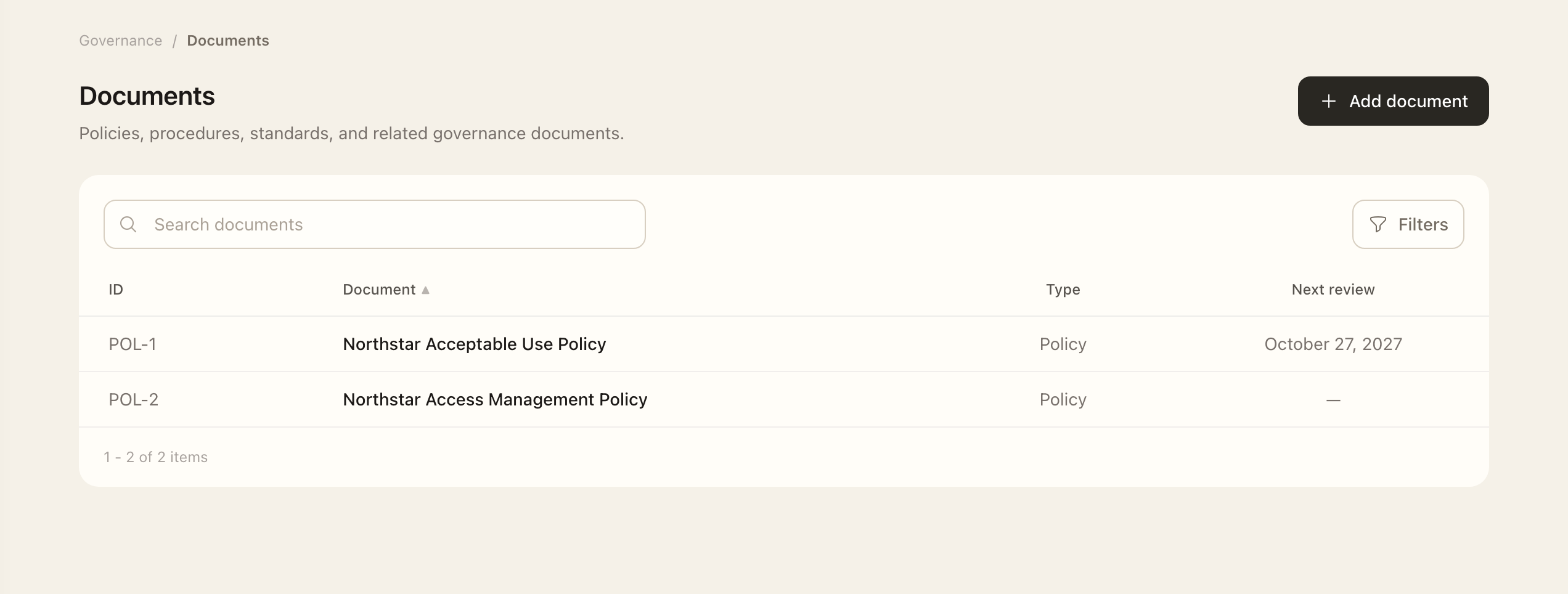
- Choose Add document and enter its type, classification, owner, reviewer, approver, and review cadence.
- Prepare a draft version and its translations. A translation can use uploaded content, text maintained in Superviso, or an external source URL. Check its title, summary, and source.
- Record revision notes explaining the changes, and complete the required content and translation reviews.
- Have the assigned reviewer mark the version reviewed, then the assigned approver approve it.
- Have the owner or an authorized administrator publish the approved version.
- Configure group consultation access and, where required, group acknowledgement requirements.
The version lifecycle is Draft → Reviewed → Approved → Published → Retired. Workflow actions are on the individual version page. Reviewed and later versions are read-only; create a new draft version for later changes. Publication requires an assigned approver as well as an approved version.
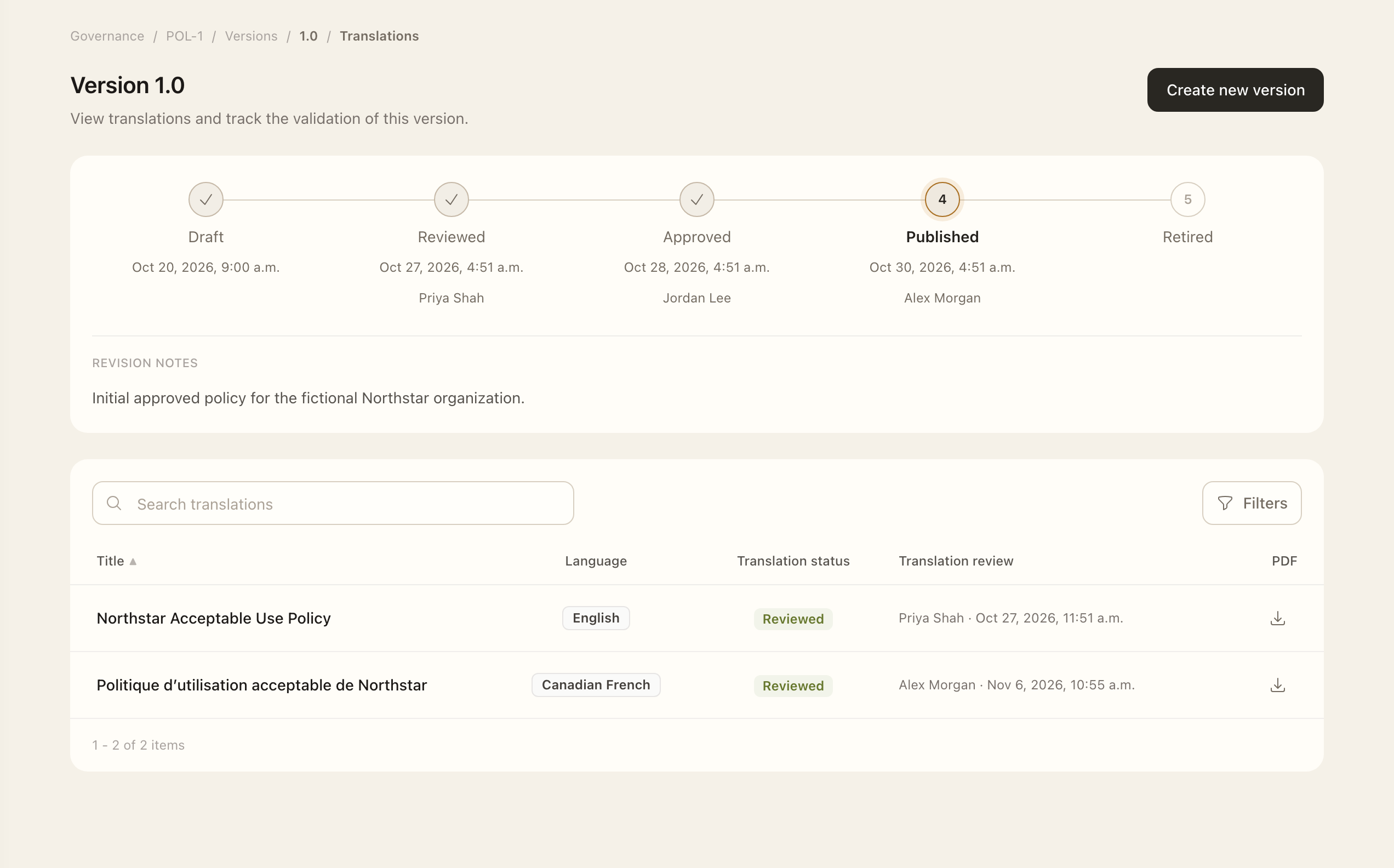
The owner maintains the document and handles publication, the reviewer checks its content, and the approver gives final sign-off. Assign different people when independent review or approval is needed.
Make publication available to employees
Configure Document access and acknowledgements after preparing publication. Manage each version’s languages through Translations and sources.
Expected outcome
The version is Published only after review, approval, and publication are complete. Employees can consult it when group access is configured, and applicable acknowledgement requirements can create tasks. An approved but unpublished version is not available in the employee library.