Assurance artifacts and review
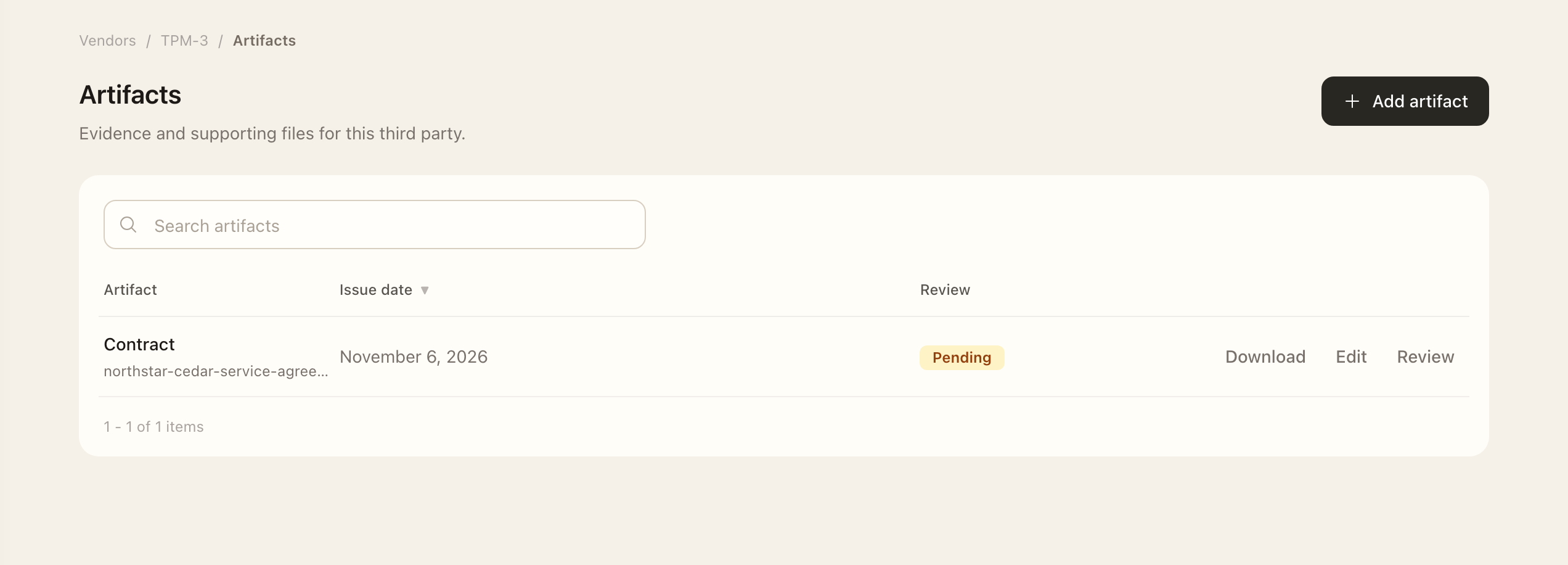
Add an artifact
- Open Vendors & Partners → Third Parties, select the relationship, and open Artifacts.
- Choose the add action and select the category and dependent type.
- Enter required metadata and attach the supporting file.
- Complete coverage dates, validity dates, and reviewer fields required by the selected type.
- Save, then open the artifact to check the file, dates, and review status.
Save, then open the record to check the file and dates. Metadata edits and review decisions use separate actions, so permission to review does not necessarily permit editing the artifact.
Review the material
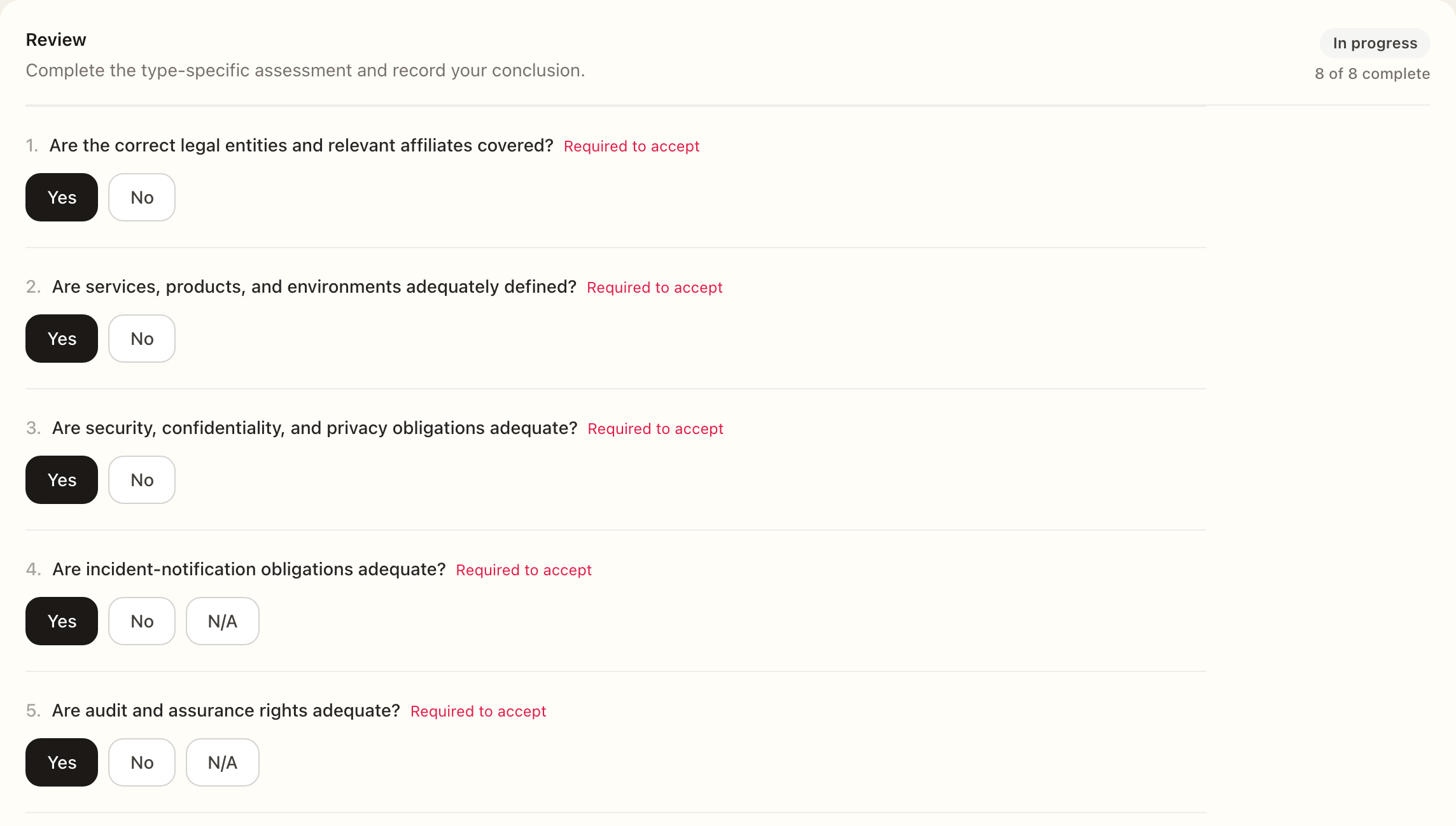
- As the assigned reviewer, open the artifact’s Review page.
- Inspect the actual file, metadata, coverage, and validity dates.
- Complete the type-specific questionnaire and required acceptance checks.
- Enter the conclusion rationale and record the available review decision.
- If changes are required, explain the correction for the submitter, then inspect the review status and history after the decision.
Review the actual source material rather than using the upload date as proof of coverage. An artifact can cover a past period or have limited validity.
Use artifacts in assessments
Evidence whose type requires review must be accepted before it can be used in an assessment. Historical items marked Review not required remain linkable. Check the status and applicable dates when selecting evidence.
Authorized editors can replace an artifact's file through the edit workflow. Permanent deletion is in the edit page's danger zone; inspect the relationship and evidence context before confirming.
See Third-party assessments for how artifacts support a completed review.
Expected outcome
The artifact appears on the third party with its file, dates, and review status. If its type requires review, it must be accepted before use in an assessment. Uploading or editing metadata alone does not record the reviewer’s acceptance.