Review discovered subdomains
Inspect discovery evidence, current hosts, and exports.
Inspect discovered hosts
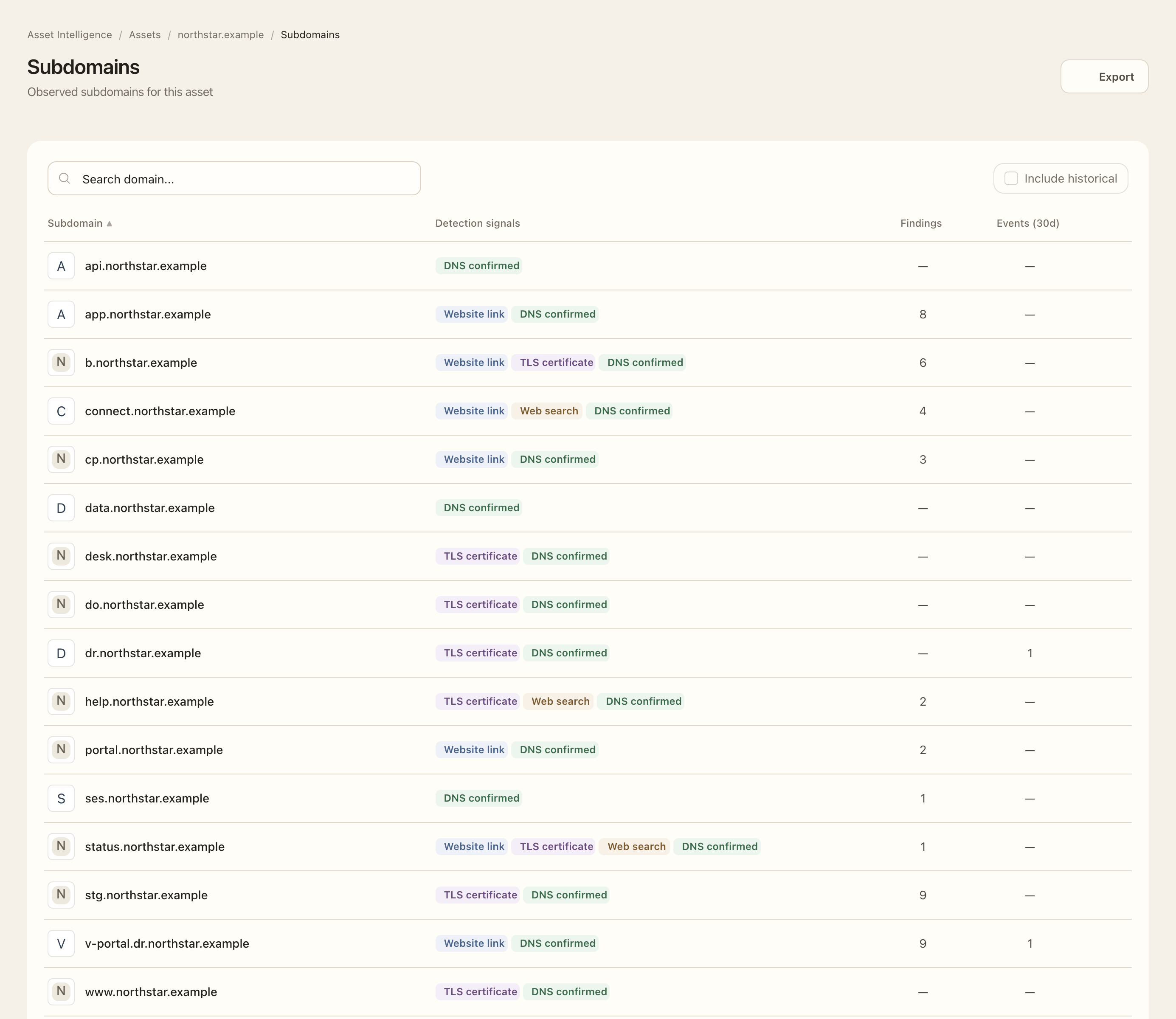
- Open Asset Intelligence → Subdomains for the organization, or open Subdomains on a domain asset.
- Apply search and asset filters as needed. Check the owning asset on the organization-wide list.
- Inspect the discovery indicator to see the source, first and last observation times, and available evidence.
- Distinguish a discovery candidate from DNS confirmation. Certificate names, website links, and search evidence can suggest a host before DNS verifies it.
- Enable Include historical when investigating hosts no longer observed in current DNS.
- Open the associated findings or recent-event count to investigate changes. Use the CSV export when you need the visible-in-plan inventory outside the app.
Expected outcome
You can identify current hosts, explain how they were discovered, and retain a scoped export. Historical hosts remain evidence rather than disappearing silently. Plan limits can restrict the monitored inventory; exports do not bypass those limits.
Discovery draws on DNS verification, certificate observations, and bounded web discovery. It is not an exhaustive crawl. Service-owner labels such as DKIM records belong in DNS evidence rather than the host inventory.