Triage and assess findings
Review evidence, record a disposition, and verify remediation.
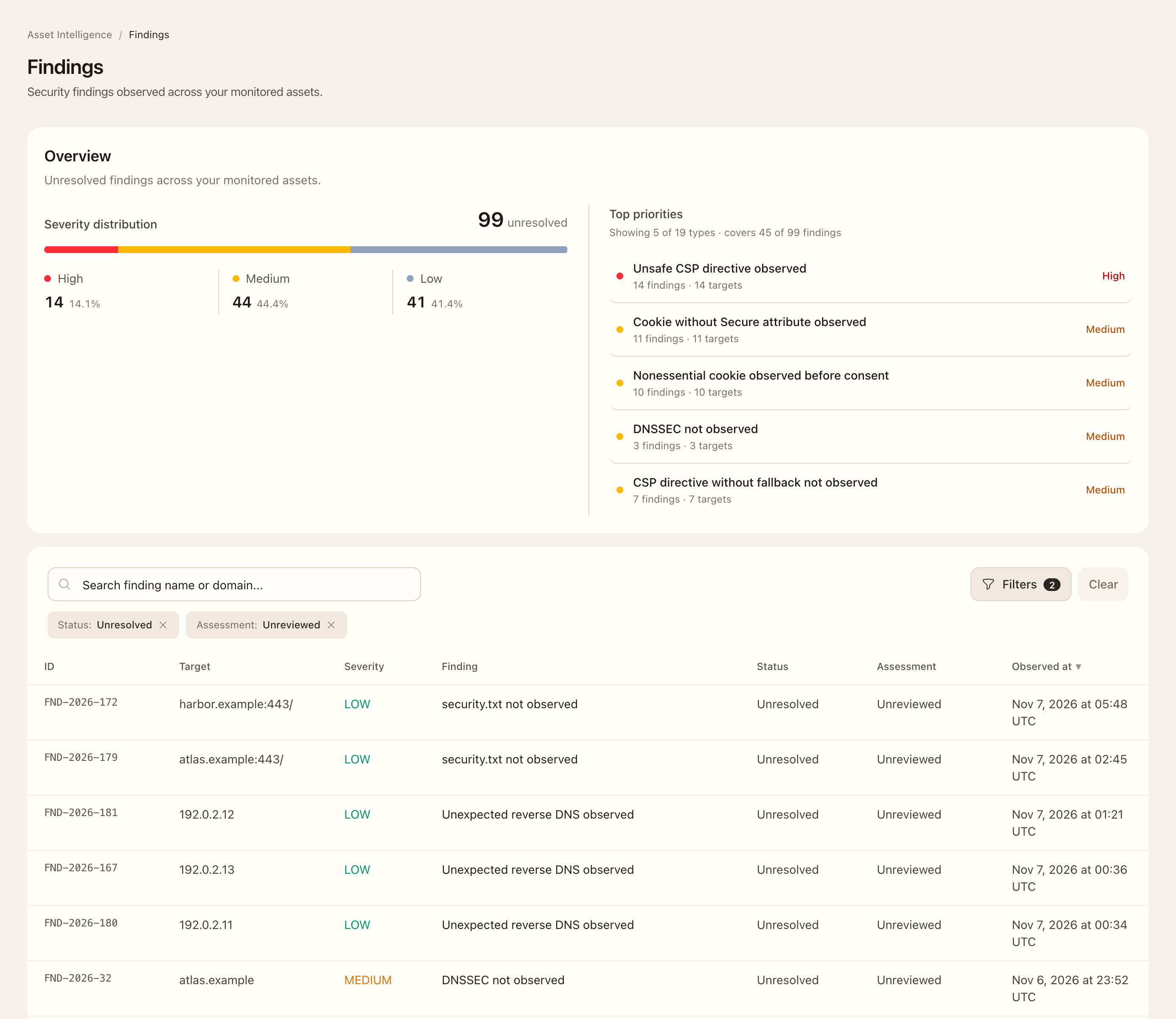
Review a finding
- Open Asset Intelligence → Findings, or open Findings on an asset.
- Check the active status and assessment filters. The default Unreviewed selection focuses on new triage work; clear it to find previously assessed findings.
- Filter by severity, category, type, asset, or search as available.
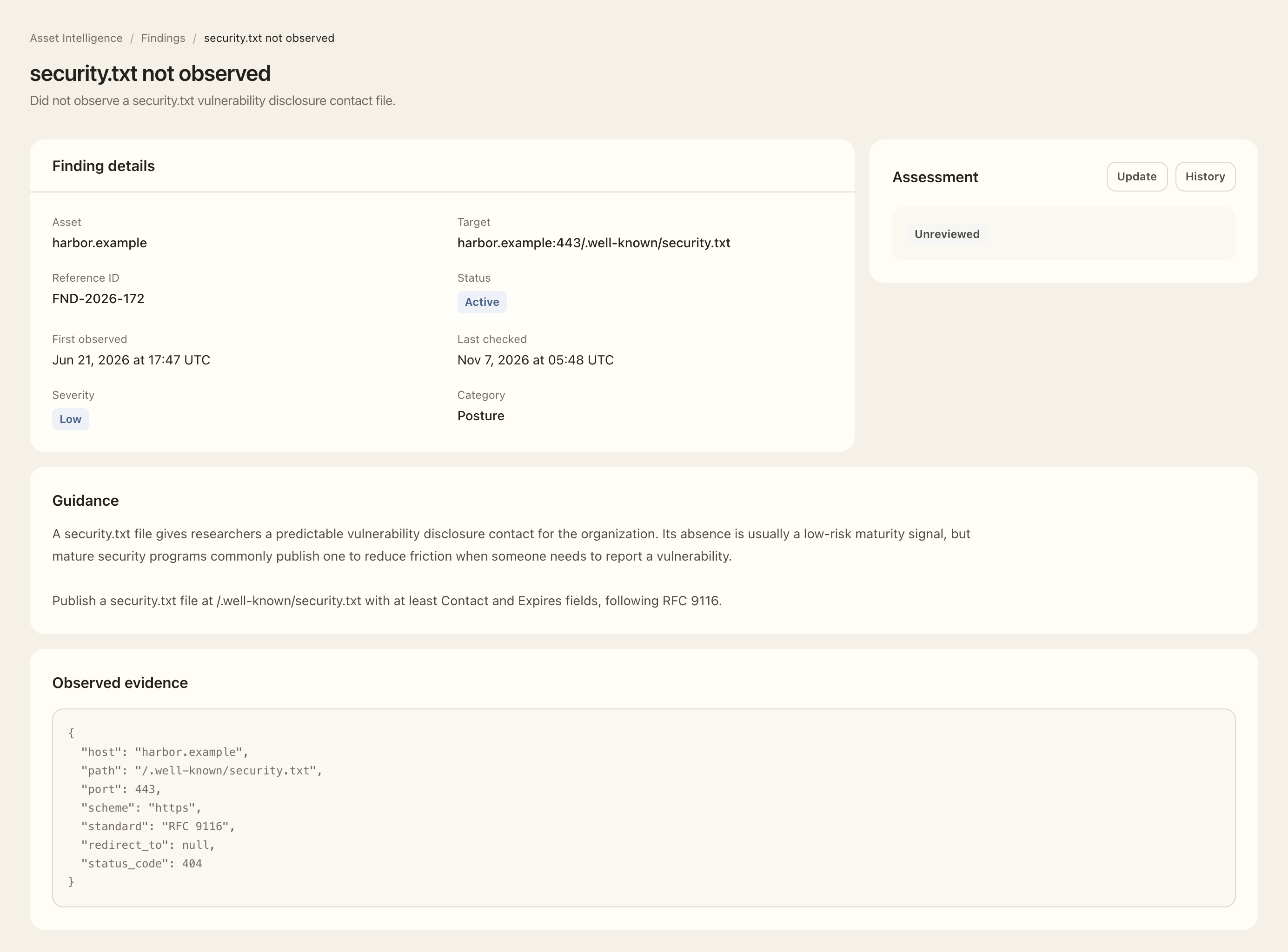
- Open the finding reference and inspect its affected target, first observed and last checked times, guidance, and observed evidence.
- Compare the issue with the source system and determine the appropriate response with its responsible owner.
Record the assessment
- Use the finding’s assessment controls.
- Select Unreviewed, Accepted risk, Not applicable, or False positive.
- Enter the decision rationale. Accepted risk and false positive require a note.
- Choose Save assessment and check the saved status, reviewer, time, and history.
- After remediation, check later observations and the finding’s active/resolved state instead of treating the assessment as a manual technical fix.
Expected outcome
Your organization’s review decision is retained separately from the observed condition. Accepted risk remains an unresolved technical condition with reduced score weight; false positive and not applicable are excluded from your organization’s deductions. Returning a finding to Unreviewed makes it available for triage again.
A resolved timestamp records the monitoring result, not merely an assessor’s note. Incomplete collection is not confirmation of remediation. Severity summaries reflect the broader selected scope even when the severity filter narrows the rows.
Rules reference
See Finding and event rules for the conditions and change types covered by Asset Intelligence.