Inspect DNS records
Read record values, provider context, and change patterns.
Review DNS evidence
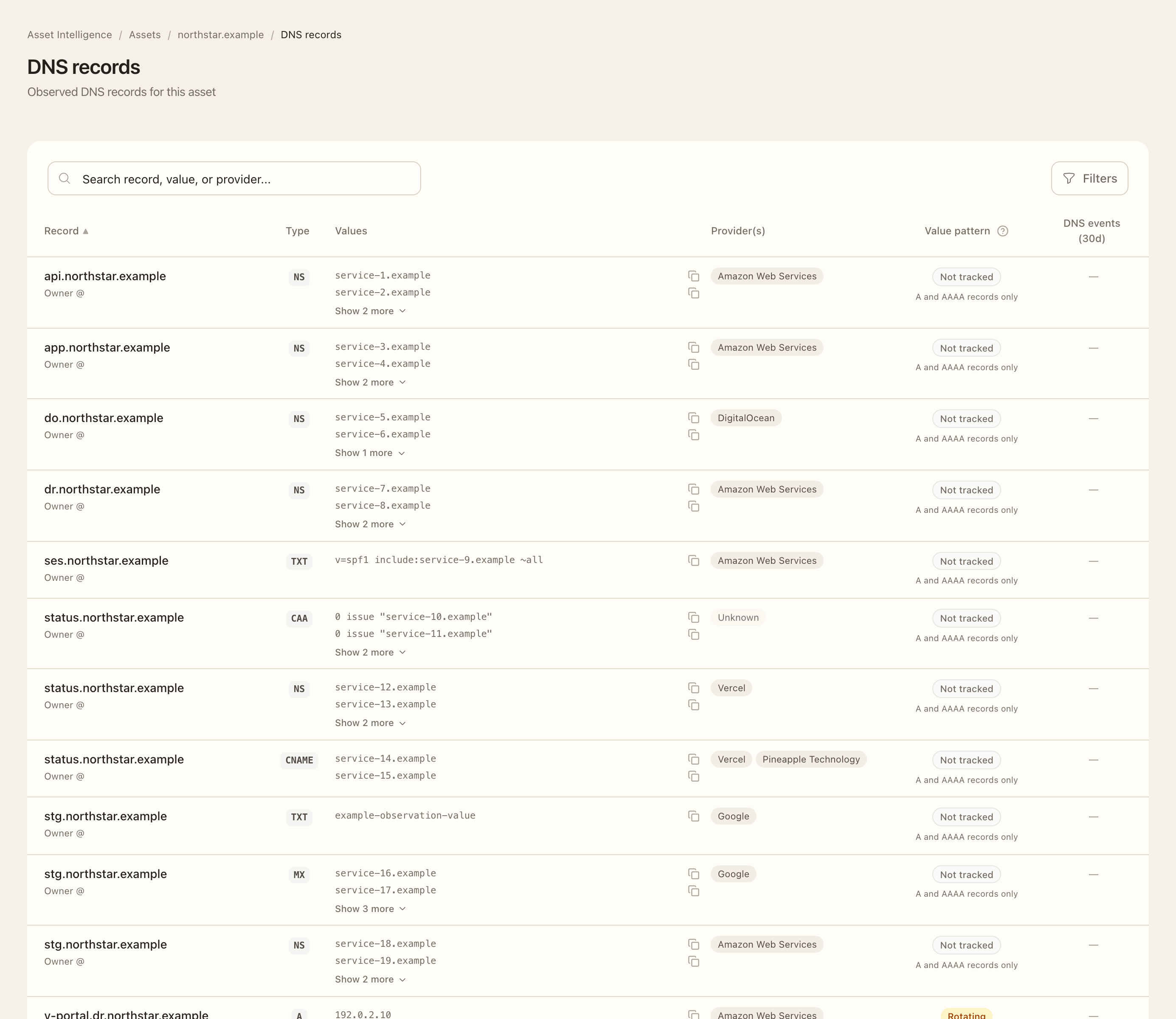
- Open a domain or IP asset and choose DNS Records.
- Select the relevant target and record type or use the available search and sort controls.
- Expand a compact value and use its copy control when you need the complete record.
- Review the provider context and, for A/AAAA records, the explained 30-day Value pattern.
- Follow the record’s DNS event link or count to inspect observed changes in that target’s scope.
- Compare the observation time and source with your DNS configuration before deciding whether a change is expected.
Expected outcome
You can identify the recorded value, its observation context, and relevant DNS changes. A rotating address pattern describes observed behavior, not a security rating. Missing pattern data and untracked record types are distinct from no observed changes.
IP assets can show reverse-DNS PTR evidence. Findings about missing DNS posture records depend on sufficient collection coverage; an incomplete observation should not be interpreted as confirmation that the record is absent.