Verify domain ownership
Verify a domain before enabling active monitoring controls.
Before you start
You need permission to manage the asset and access to its authoritative DNS configuration. Ownership verification and active TCP scan enablement are separate actions.
Verify a domain
- Open Assets, select the domain, and open its settings/edit page.
- Find Verification and copy the exact TXT record information displayed for this asset.
- Publish that TXT record on the root domain through your DNS provider. Keep unrelated records unchanged.
- After DNS propagation, return to the asset and choose Verify if it is not already verified.
- Check for Ownership verified. Keep the TXT record published for ongoing verification checks.
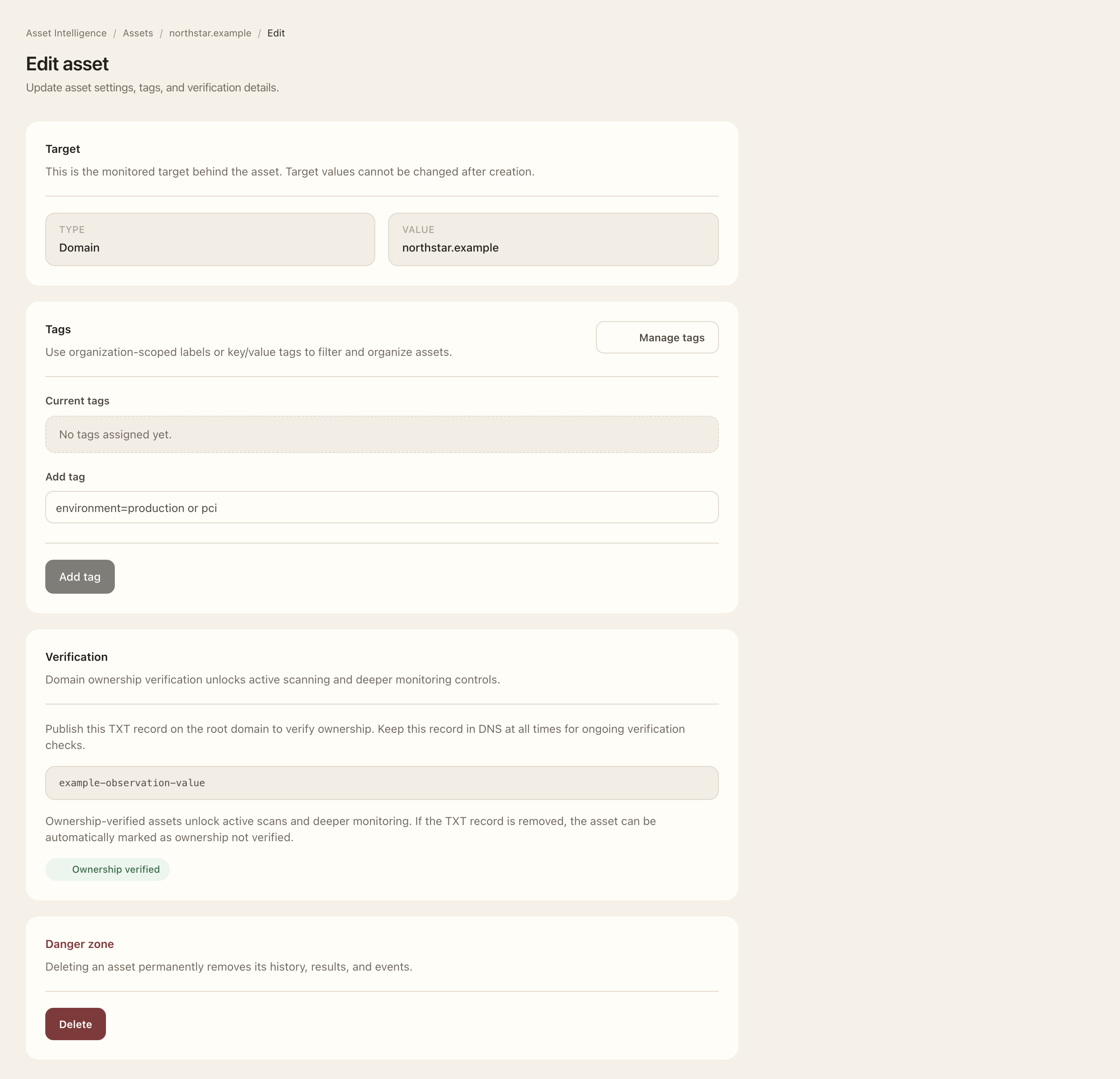
Expected outcome
The asset records successful ownership verification and eligible deeper monitoring controls become available. Removing the TXT record can cause verification to be lost. Verification does not itself enable an active scan on every subdomain.
IP assets
IP assets do not use TXT verification. Their TCP scan configuration requires an explicit acknowledgement that your organization owns, controls, or is authorized to scan the IP. Review the exact target and authorization before enabling it.