Monitor authenticated pages
Use an organization authentication profile for an authorized custom page.
Before you start
Create a custom page and prepare the login details or headers it needs.
Configure the profile and page
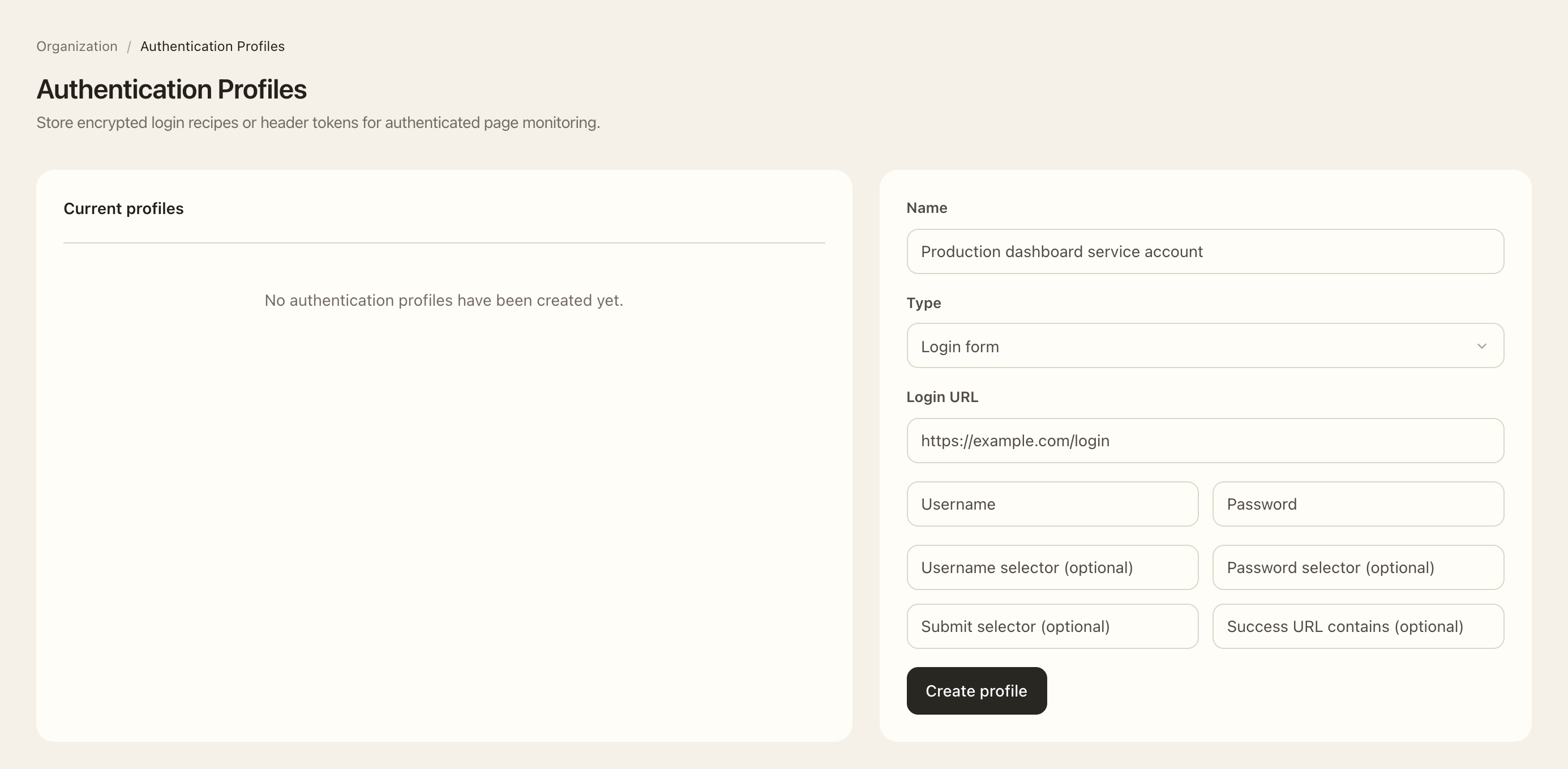
- Open the organization’s Authentication profiles settings.
- Choose the profile creation action, enter a recognizable name, and select Login form or Headers.
- For a login form, complete the displayed login URL, selectors, credentials, and success check. For headers, enter the required header names and values.
- Save the profile, then open the intended custom page in Asset Intelligence.
- Open the page’s monitoring settings, select the authentication profile, and save.
- Review the profile’s status and any failure reason after collection, then inspect whether the intended page evidence was observed.
Expected outcome
The custom page uses the selected profile during collection. The profile status shows whether sign-in succeeded and provides a failure reason when attention is needed.
This configures collector access to the monitored site. It is separate from how your users sign in to Kantoku.