Inspect ports and configure TCP scans
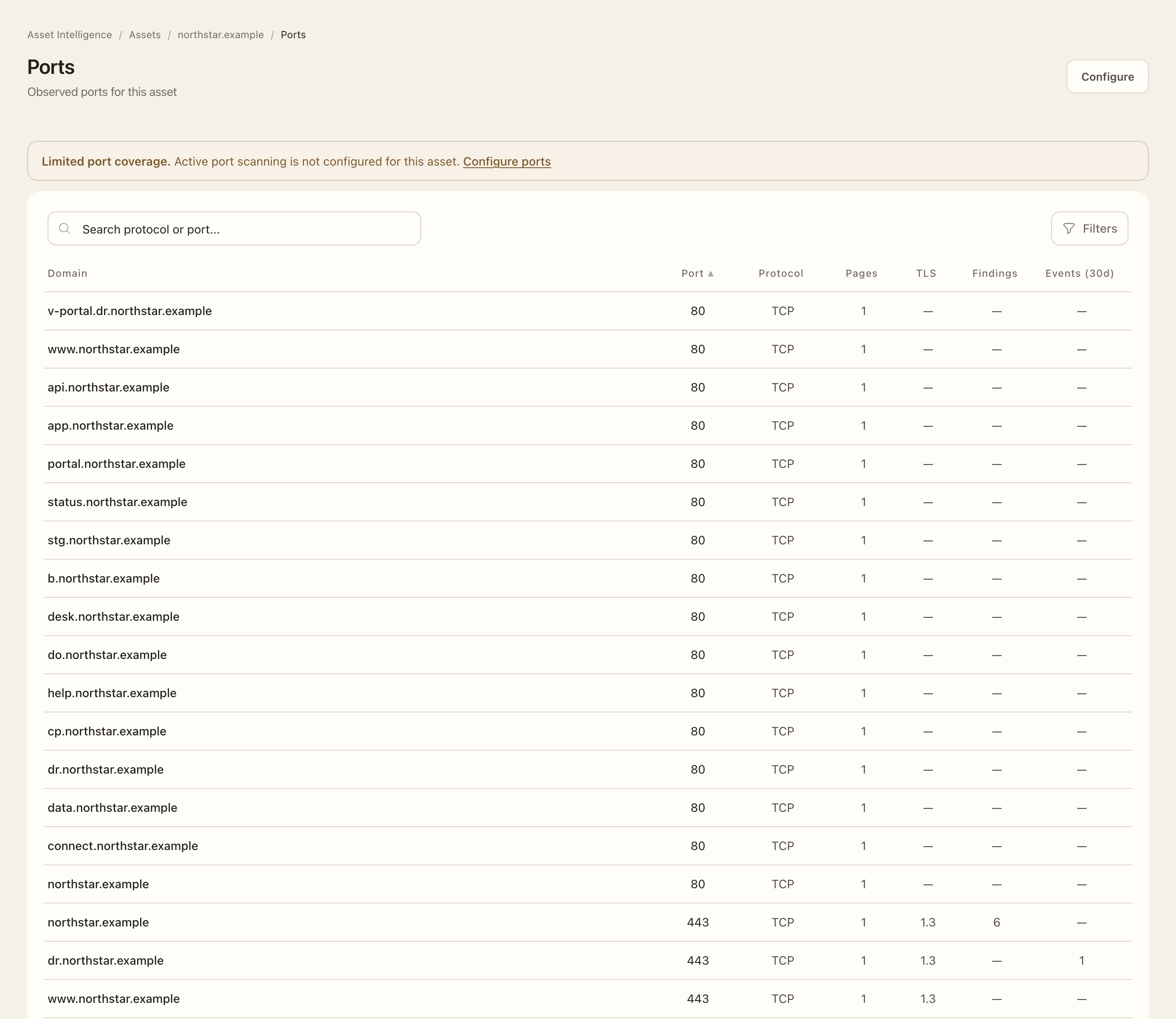
Inspect observed ports
- Open an asset and choose Ports.
- Use the target and available filters to find the hostname or IP and port.
- Open a port to inspect its observed protocol, TLS context, and related pages.
- Check when the observation was made and whether the port is currently open. An IANA service name describes conventional port usage, not a confirmed running product.
Configure active TCP scanning
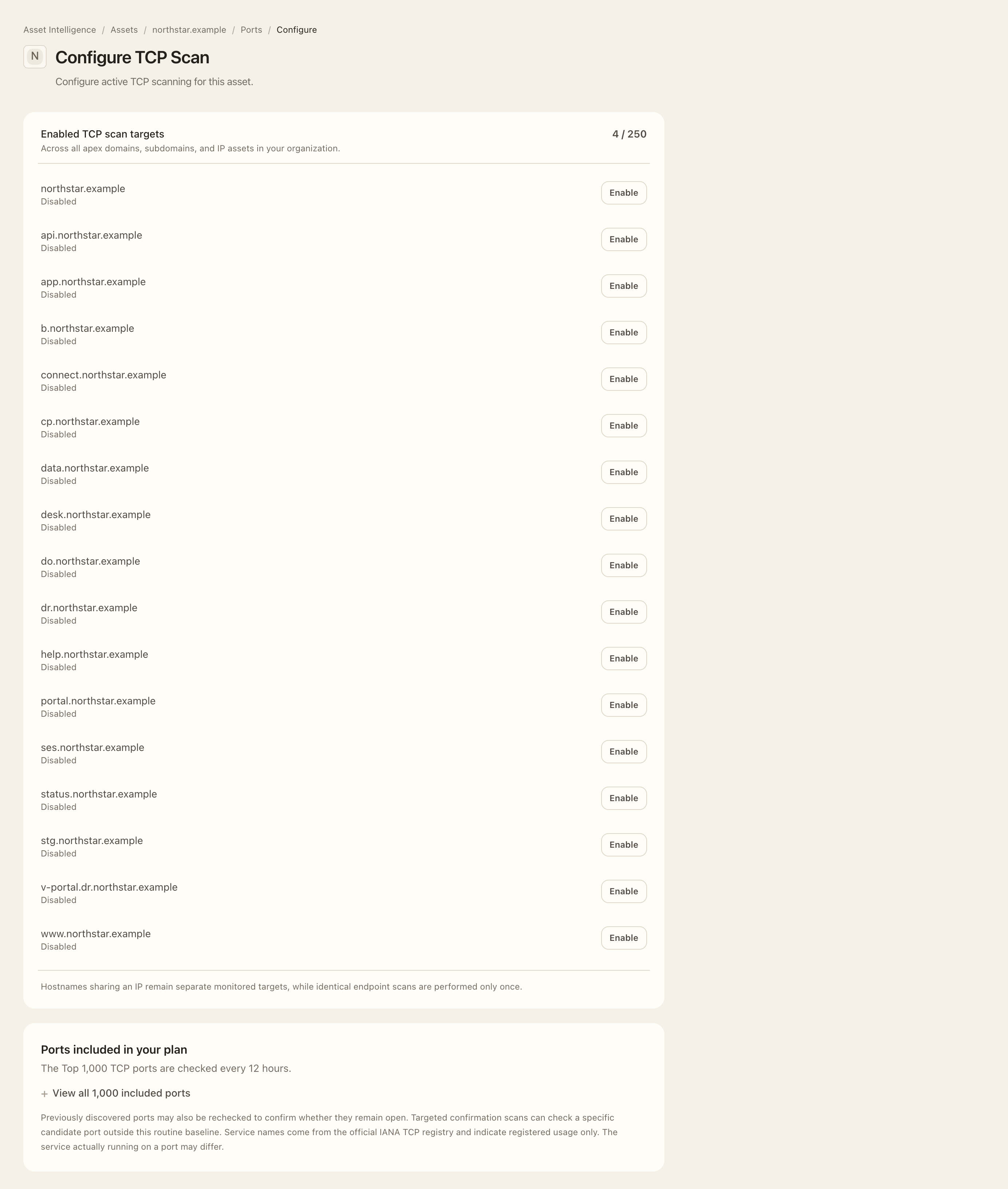
- From Ports, open Configure TCP Scan.
- Select the exact hostname or IP target and check the organization-wide enabled-target allowance.
- Review the displayed plan-specific port catalog and schedule. Verified domain ownership is required for domain targets; IP targets require the explicit scan-authorization acknowledgement.
- Use the enable control only for a target your organization is authorized to scan, read the confirmation, and confirm the intended setting.
- Reopen the configuration to check the saved state. Disable a target through its available control when active checks are no longer wanted.
Expected outcome
The selected target’s saved setting controls active TCP collection. Enabling an apex does not enable newly discovered subdomains automatically. An enabled setting schedules checks; it is not an immediate completed result.
The configuration shows the current plan’s routine port breadth. Scale combines frequent checks of common ports with a rolling full-range sweep rather than checking every port on every run. Shared CDN/cloud domains can be limited to 80/443 unless the endpoint IP assets are explicitly authorized. Passive HTTP observations and authorized active TCP results serve different purposes.
Coverage and plan limits
Until a domain is verified, checks are limited to the default HTTP and HTTPS ports, 80 and 443. Verification makes eligible active monitoring available; each target still needs its own explicit enablement. A port outside the configured coverage is unobserved, not confirmed closed.
Routine scans cover the Top 100 ports daily on Starter, the Top 1,000 every 12 hours on Growth, and the Top 1,000 every six hours on Scale. Scale also divides the remaining full TCP range into seven daily groups for a rolling seven-day sweep. The enabled-target allowance is 25 on Starter, 250 on Growth, and 1,000 on Scale. These limits and schedules remain subject to authorization and shared-infrastructure restrictions. See collection frequency and current plan details.