Review an asset’s exposure
Read the current score, findings, inventory, and monitoring freshness.
Review the current picture
- Open Assets and select the domain or IP address.
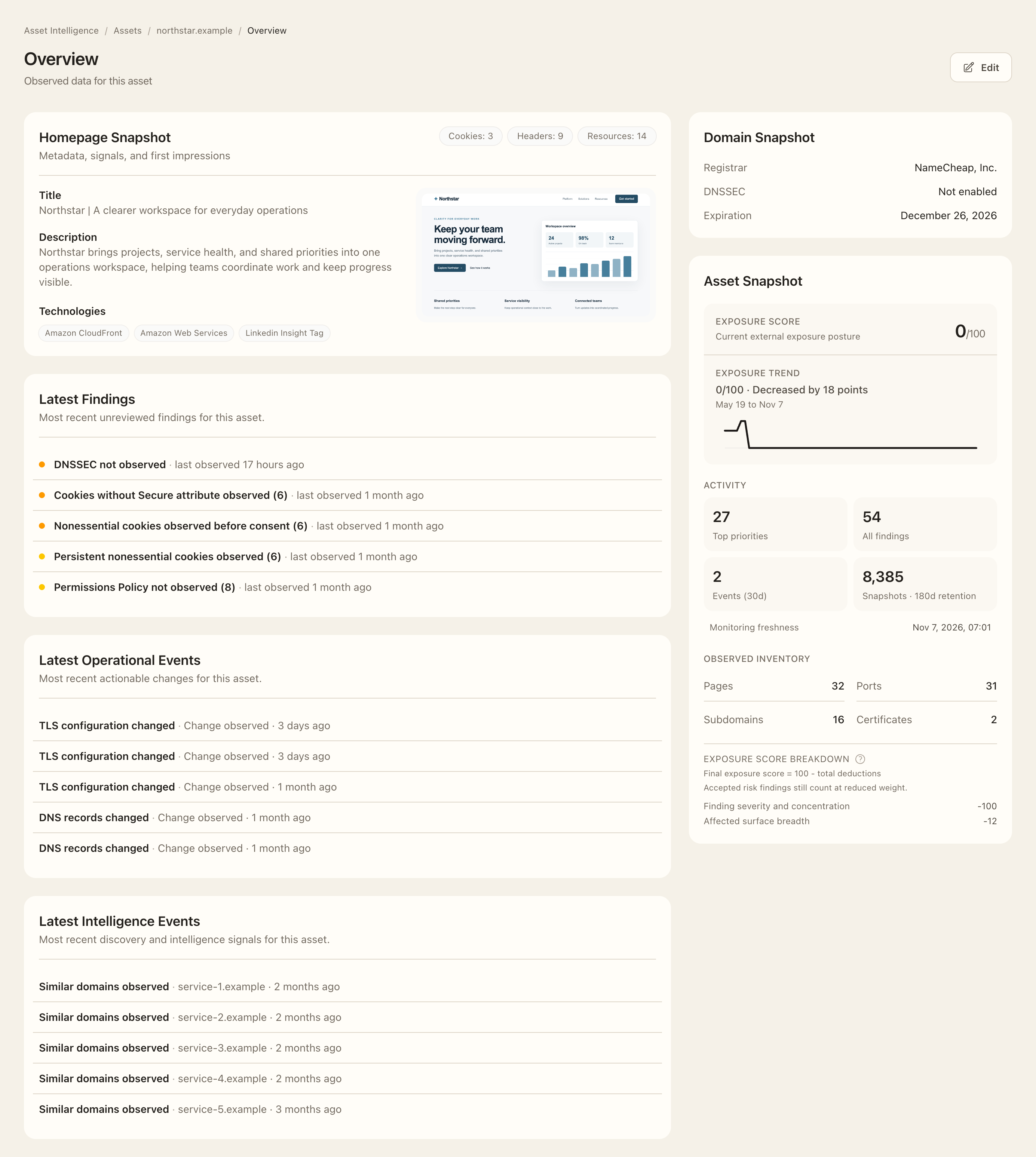
- Read the Asset Snapshot score and grade, then inspect the score breakdown and its help explanation.
- Review Latest Findings for unreviewed issues and follow the finding link for evidence and assessment.
- Compare recent operational changes with intelligence discoveries; open the corresponding event list for the complete history.
- Inspect observed ports, pages, and monitoring freshness. Open the related inventory rather than treating an empty summary as a complete scan.
- Follow the exposure trend or historical snapshots link when you need to explain a change over time.
Interpret the score
The Exposure Score summarizes open findings and current open non-web service exposure. Accepted-risk findings still contribute at reduced weight; false positives and not-applicable findings are excluded from deductions for your organization. Inventory size, monitoring freshness, and recent operational changes are shown separately rather than lowering the score themselves. The score is not a certification or proof that the asset is secure.
Expected outcome
You can identify the asset’s main recorded drivers, unreviewed issues, and evidence freshness, and open the underlying record for follow-up. A reviewed finding can leave the overview’s triage card while remaining available in the full Findings registry.